The quick answer
Choose LumApps if you run on Google Workspace or a mix of Google and Microsoft, or if much of your workforce has no corporate accounts and needs operational tools like shift schedules and team chat.
Choose Powell if Microsoft 365 is your foundation and you want one platform that gives employees a digital workplace they actually use, gives IT governance over SharePoint and Teams, and gets your content ready for Copilot.
LumApps vs Powell at a glance
✓ Included ◐ Partly, or a different approach ○ Not offered
| Capability | Powell | LumApps |
|---|---|---|
| Built natively on Microsoft 365 | ✓ Runs on SharePoint | ◐ Connects to it |
| Content stays in your Microsoft 365 tenant | ✓ Your tenant, your permissions | ○ LumApps runs as its own cloud platform |
| Works with Google Workspace | ○ Microsoft 365 only | ✓ Google and Microsoft |
| Targeted, multi-channel communications | ✓ Intranet, Teams, email, mobile | ✓ Mobile app, web portal, signage, chat tools |
| Reach and readership per message | ✓ Includes read confirmations | ◐ Platform analytics |
| Search that shows owner and last update | ✓ On every result | ◐ AI search inside your employee hub |
| HR and IT self-service | ✓ Built into the intranet | ✓ Forms and connectors |
| Mobile app | ✓ Desk to frontline | ✓ Frontline tools included |
| Governance of SharePoint and Teams | ✓ Dashboards, policies, campaigns | ◐ Access controls, certifications and AI lifecycle help in LumApps |
| Content ready for Microsoft Copilot | ✓ Owned, current, permissioned | ◐ Its own AI hub |
Want to see the Powell column on your own Microsoft 365? Book a demo, or estimate your intranet ROI first.
What is LumApps?
LumApps is an AI-powered employee hub that brings the intranet, internal communications, frontline tools and AI agents into one app. It runs as its own cloud platform and connects to both Microsoft 365 and Google Workspace, which makes it a natural option for organizations that don’t want to commit to one suite.
LumApps is best known for:
- Personalized news and communications on web and mobile
- Frontline tools such as shift schedules, team chat with translation and digital forms
- An AI hub with search and AI agents
- 50+ connectors to business tools like Workday, ServiceNow and Slack
What is Powell?
Powell is a digital workplace platform built natively on Microsoft 365, and a LumApps alternative for organizations that run on it. It turns SharePoint, Teams and the rest of Microsoft 365 into a digital workplace employees actually use, and gives IT the governance and AI readiness that Microsoft 365 needs. It’s one platform, not a set of separate digital workplace tools.
Powell is best known for:
- Communications that reach people on the intranet, in Teams, by email and on mobile, with built-in analytics
- HR and IT self-service built into the intranet
- Search that shows who owns each result and when it was last updated
- Real-time visibility and automated governance across SharePoint and Teams
The core difference: two approaches to the digital workplace
LumApps and Powell solve a similar problem from opposite directions.
LumApps brings everything into its own hub. News, pages, tools and AI live in LumApps, and Microsoft 365 or Google Workspace connect into it. That’s flexible, especially if you don’t want to commit to one suite.
Powell builds the digital workplace inside Microsoft 365. It runs on SharePoint, Teams and the permissions you already manage, bringing the intranet, the governance of SharePoint and Teams, and the content Copilot draws on into one platform.
Neither approach is wrong. The right one depends on whether Microsoft 365 is your foundation, or one tool among several.
How LumApps and Powell compare, criterion by criterion
Microsoft 365 fit and where your data lives
LumApps integrates with SharePoint, Teams, Outlook and OneDrive, along with Google Workspace and a wide range of business apps. It runs as its own cloud platform, hosted on Google Cloud and Azure, and Microsoft 365 content is pulled in through integrations.
Powell runs on SharePoint. Pages, news and documents stay in your Microsoft 365 tenant, under the permissions IT already manages. One place holding your content, one permissions model to look after, and no second platform to secure.
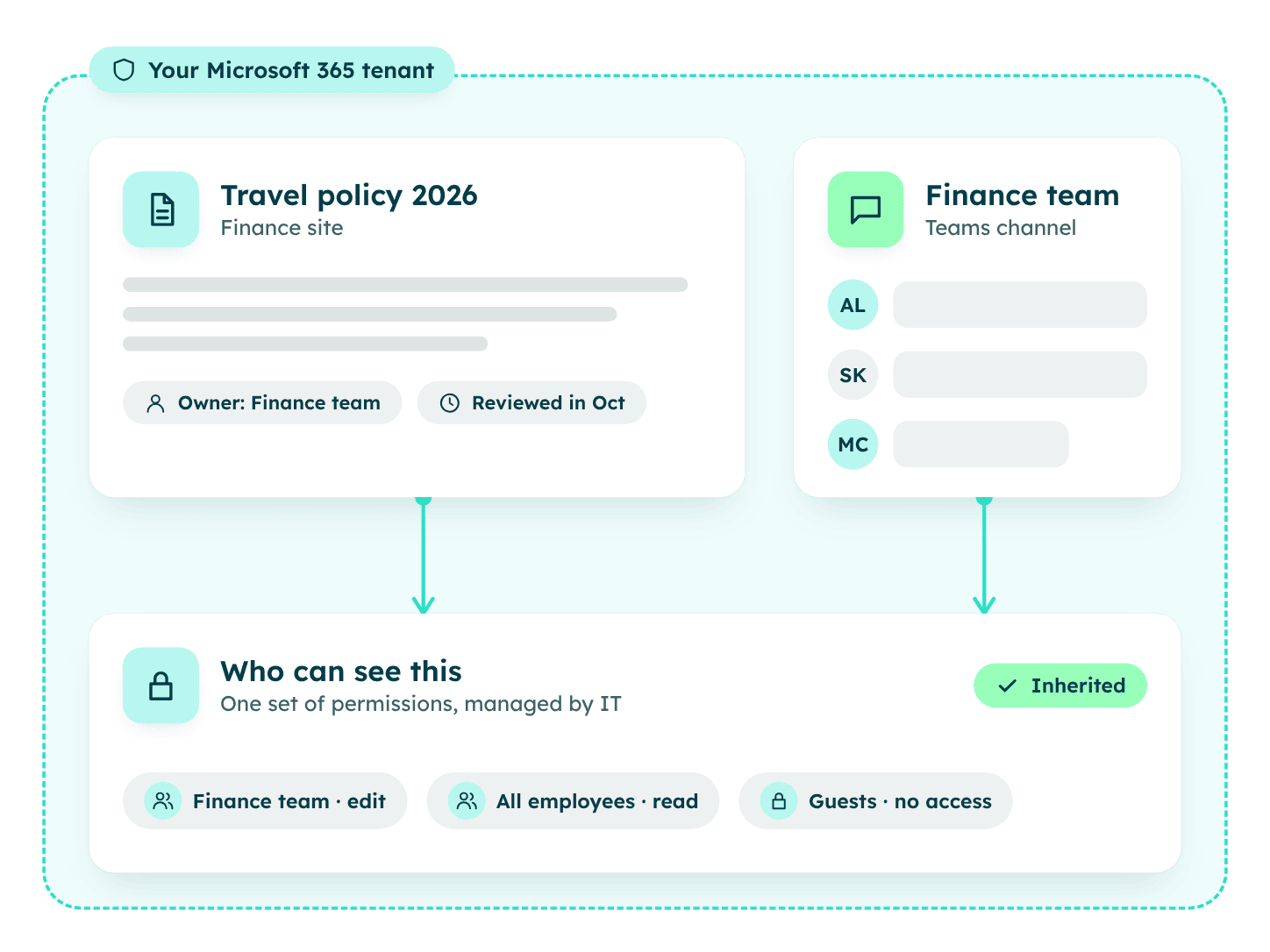
In short: for a Microsoft 365 organization, Powell means fewer moving parts. For a Google or mixed environment, LumApps’ flexibility matters more.
Communications: getting messages to land
LumApps offers targeted news, campaigns and community spaces with chat, polls and video on web and mobile, with messaging and translation features designed to connect frontline and desk-based employees.
Powell lets comms publish once and reach people on the intranet, in Teams, by email and on mobile, targeted by role, location and language. Each message shows its reach and readership, and critical updates, like a safety notice, can ask employees to confirm they’ve read them. Comms teams can publish, target and track their messages from one place.
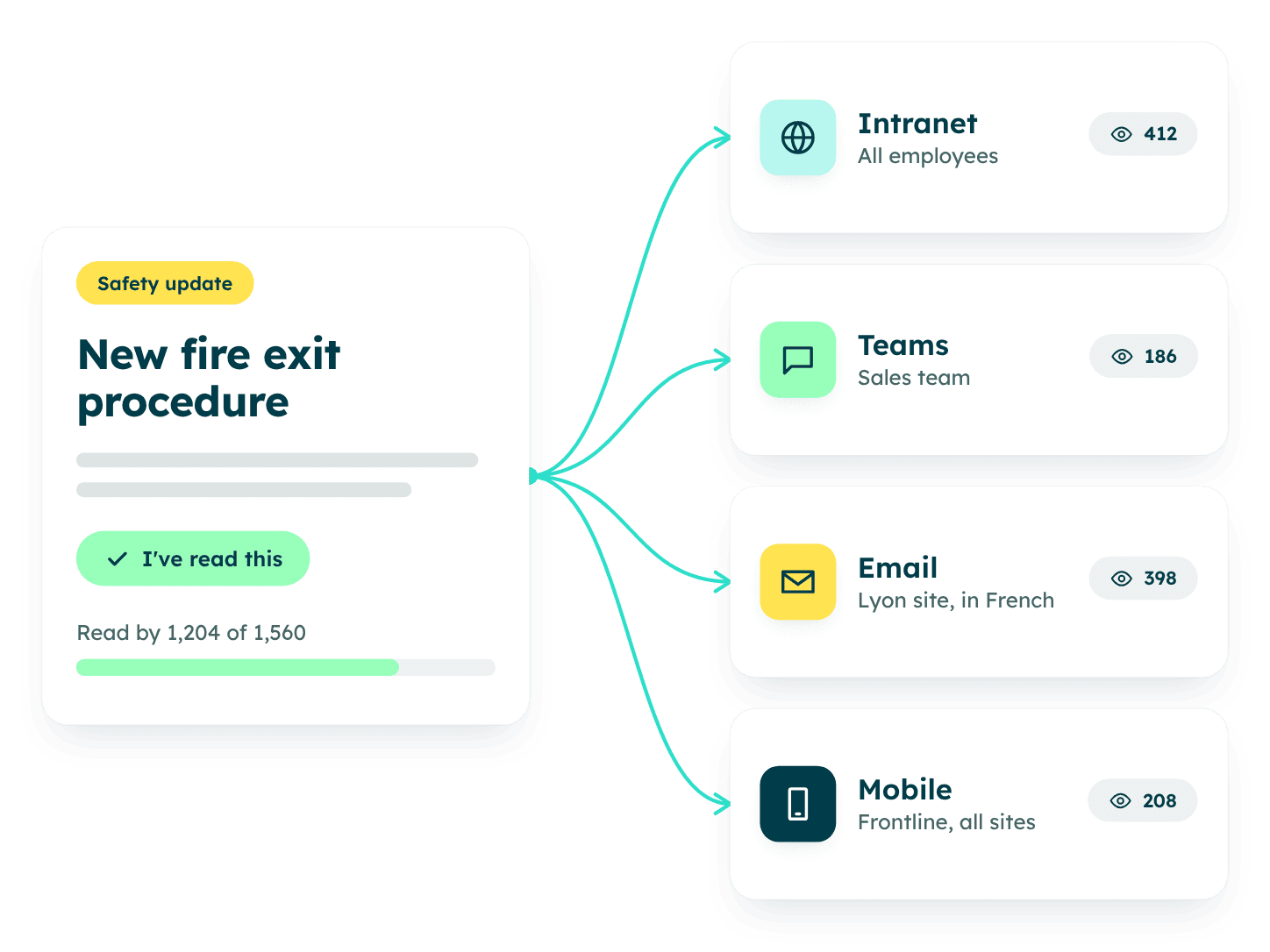
In short: both publish well. Powell adds read confirmations for critical messages.
Knowledge and search: finding answers people trust
LumApps offers natural-language AI search with summarized answers, plus agents grounded in company knowledge.
Powell handles the way people actually search: plain questions, synonyms and typos, with people, documents and pages in one set of results. Every result shows who owns it and when it was last updated, so employees can tell this year’s travel policy from the one written in 2019. More on this in our guide to knowledge management best practices.
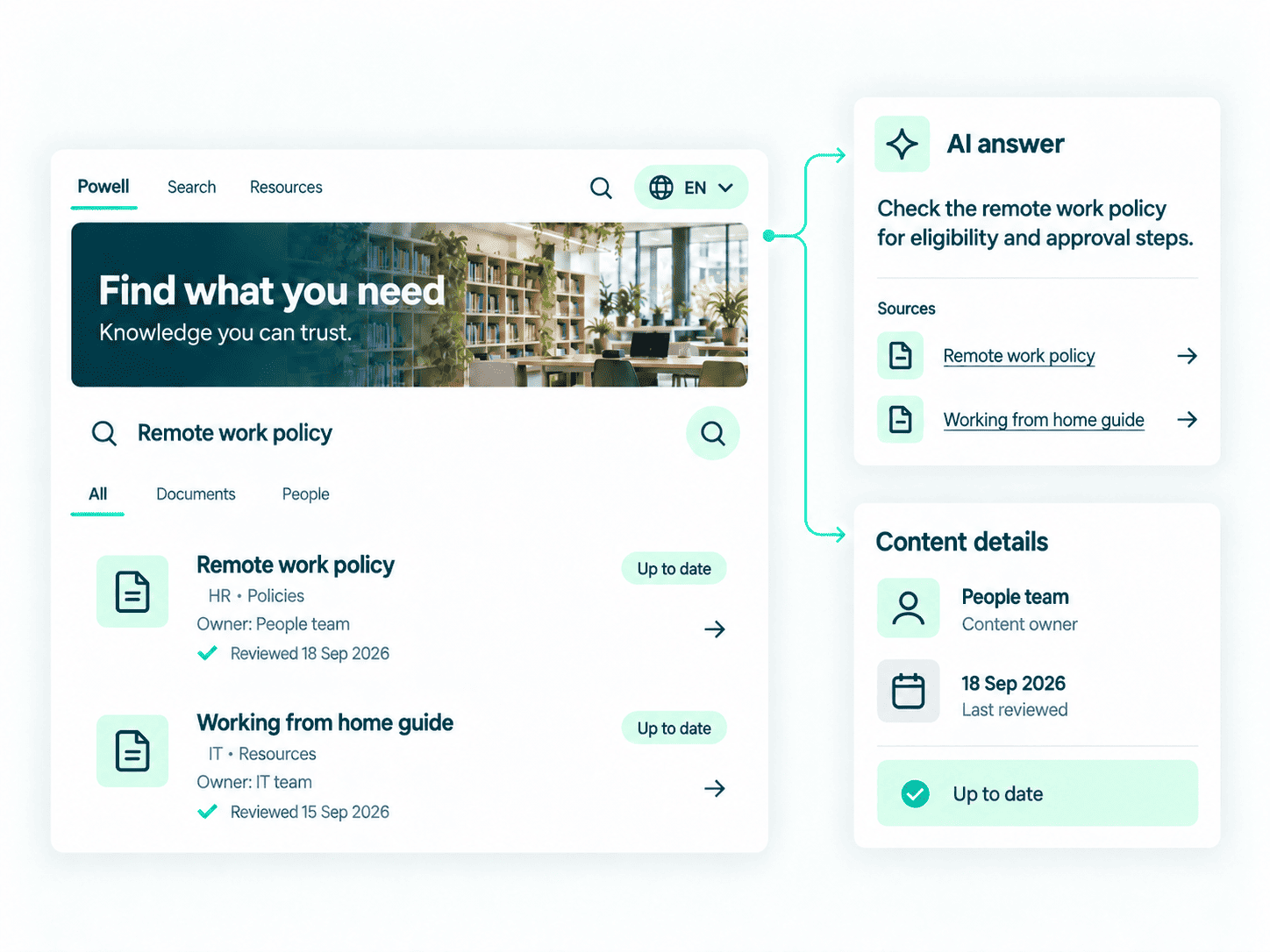
In short: the difference is less about finding more, and more about finding the right version.
AI and Copilot readiness
LumApps builds AI into its own hub: AI search, help with content and AI agents, working within LumApps permissions.
Powell’s AI assistant answers from your intranet’s own knowledge. Powell also helps get content ready before AI goes looking. Copilot answers from the content in your Microsoft 365 and follows your permissions. Powell helps content owners keep it current, owned and correctly permissioned. See how Powell approaches AI in the digital workplace.
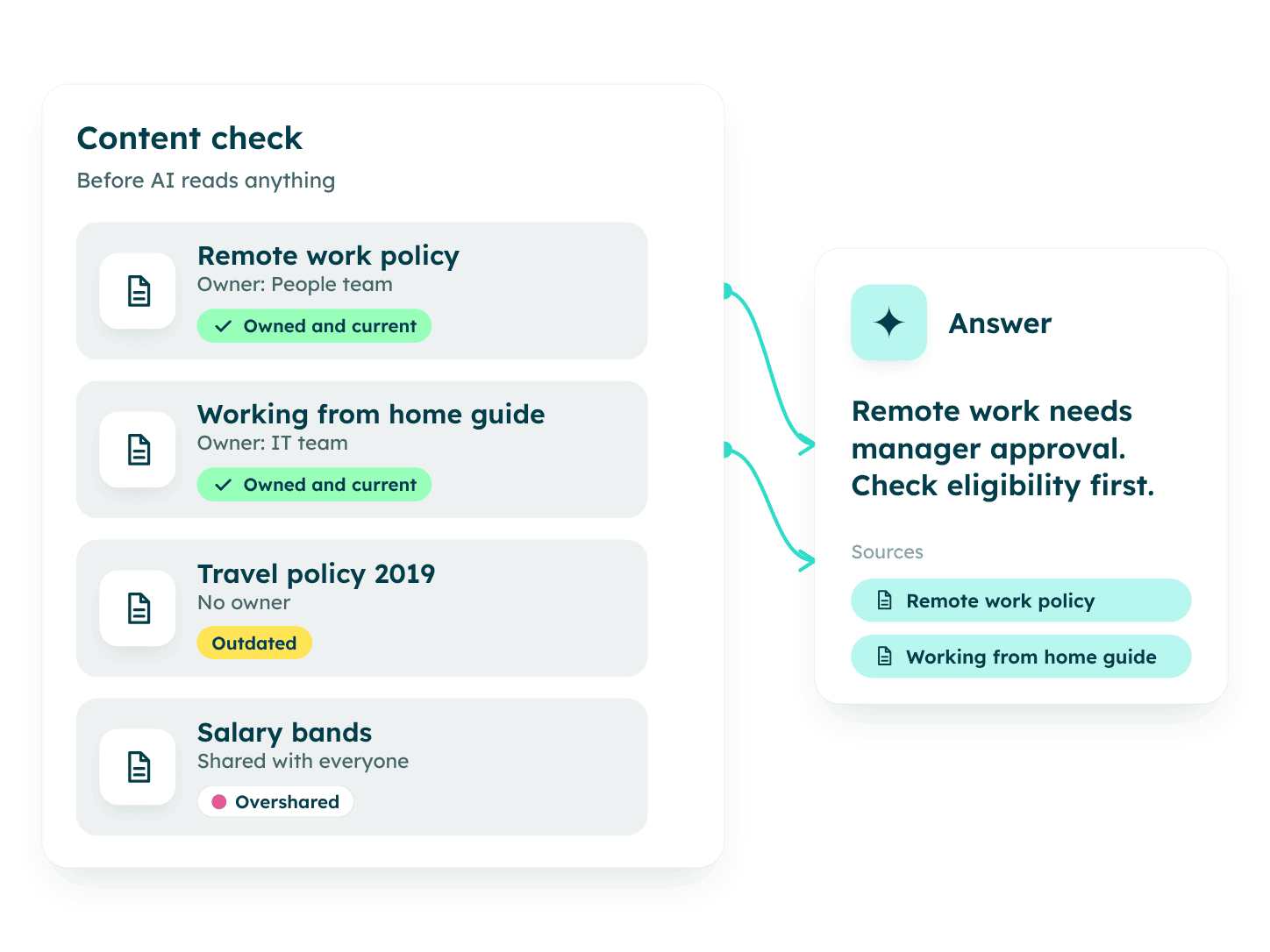
In short: LumApps adds AI inside its hub. Powell focuses on getting your Microsoft 365 content ready for Copilot.
Governance: keeping Microsoft 365 under control
LumApps lets admins set who sees what in LumApps, by role, location or department, without engineering help.
Powell includes governance in the same platform as the intranet. IT gets real-time dashboards across SharePoint and Teams, policies applied automatically, and campaigns that ask content owners to review, keep or archive what they own. Our guide to intranet governance best practices goes deeper, and the Powell Governance prerequisites show what you need to get started.
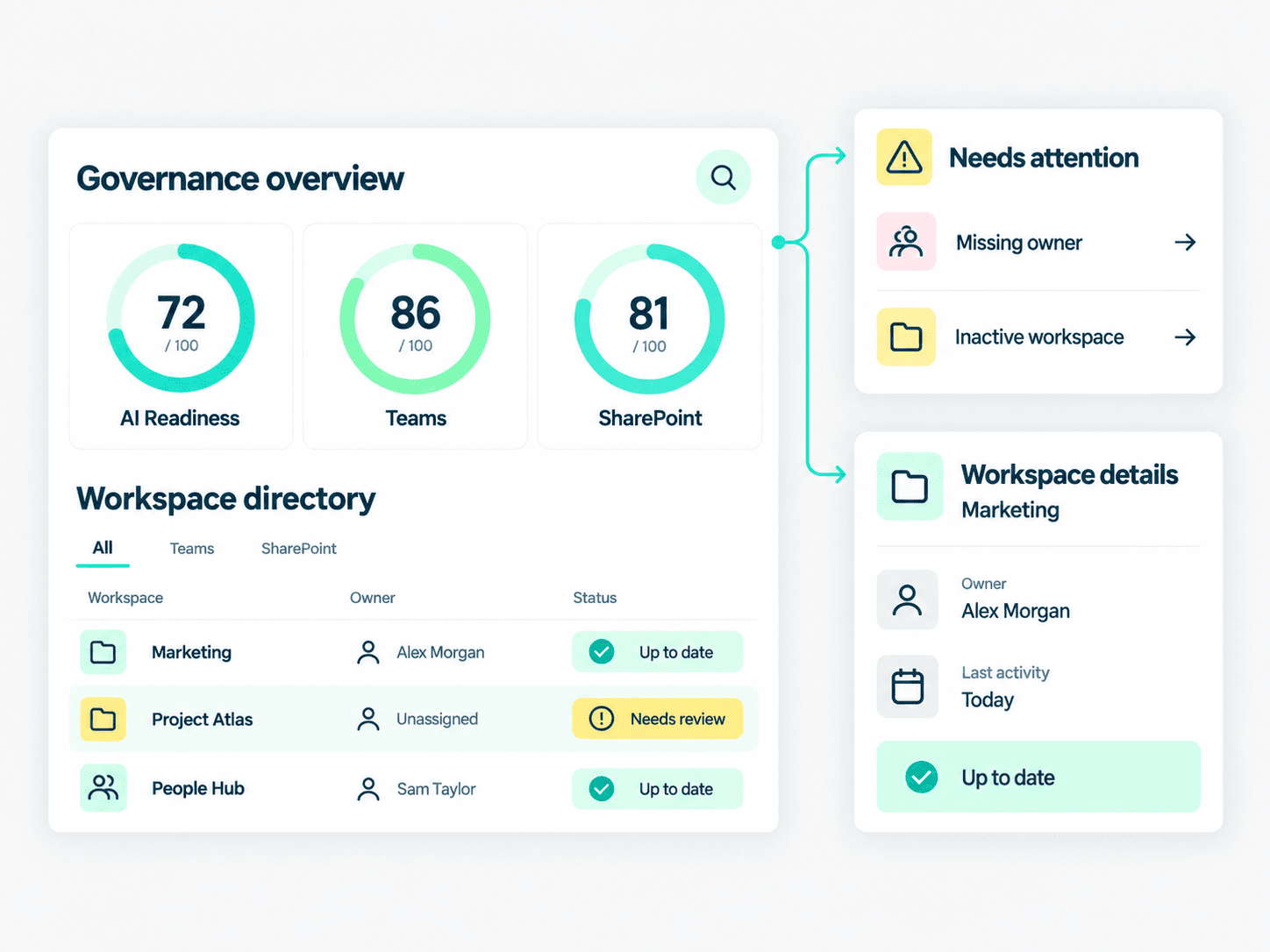
In short: the two platforms cover different ground here. LumApps gives admins granular access control by role, location and department, and AI help across the content lifecycle. Powell governs the Microsoft 365 environment your intranet and Copilot rely on.
Self-service: from reading to doing
LumApps offers HR self-service, digital forms and safety checklists, with connectors to systems like Workday and ServiceNow.
Powell turns the intranet from a place you read into a place you do, with HR and IT service scenarios built in and guided onboarding journeys for new hires.
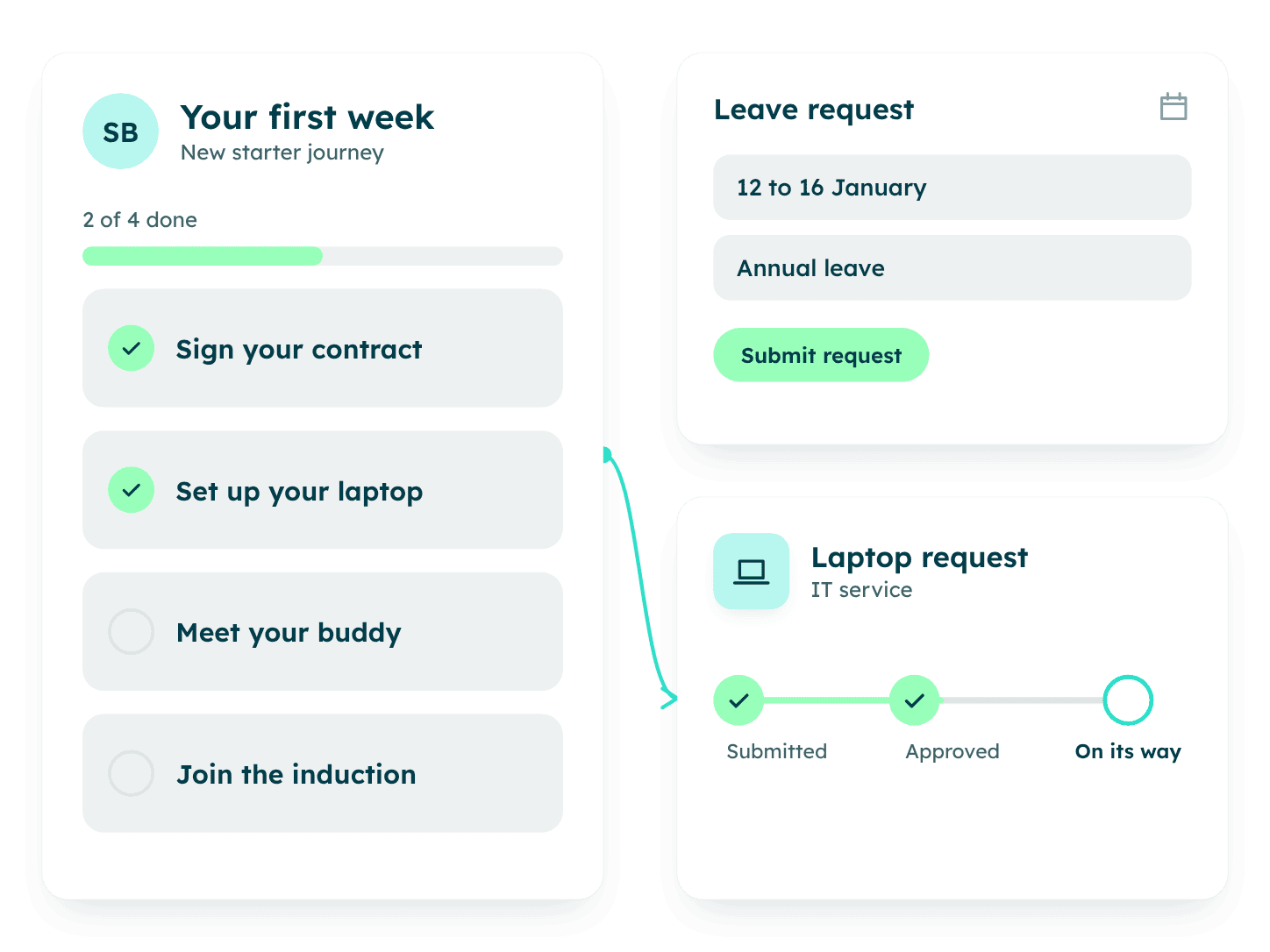
In short: both support HR and IT self-service. LumApps connects to systems like Workday and ServiceNow; Powell builds the journeys into the intranet itself.
Mobile and frontline reach
LumApps is strong here. Frontline staff can sign in with a QR code, employee ID or SSO, with no corporate email required, and get shift schedules, team chat with translation, forms and short training on their phones.
Powell reaches 100% of your workforce, desk to frontline, through its mobile app, with a news feed, push notifications by role and location, and read confirmations.
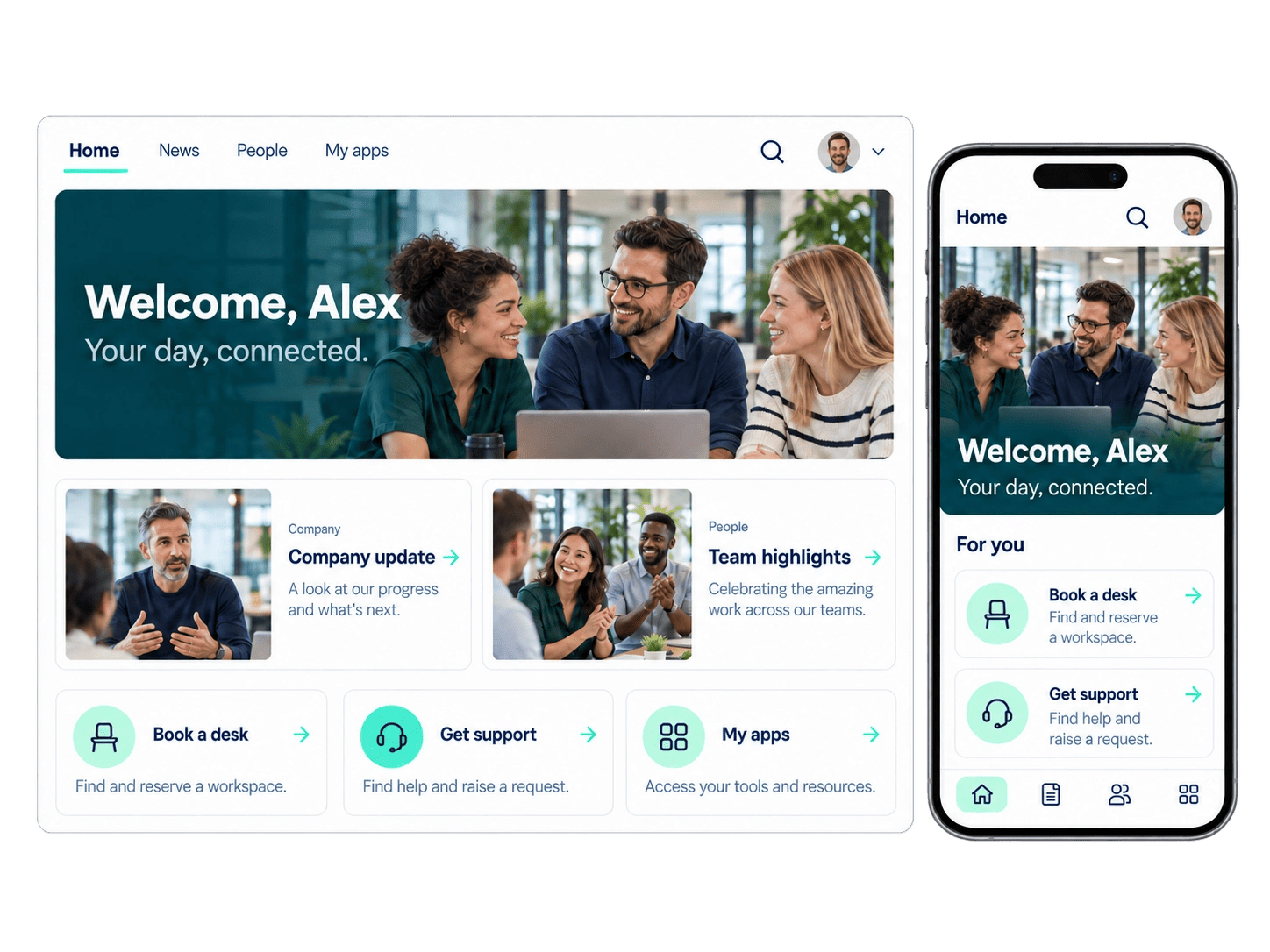
In short: if your frontline teams need operational tools like shift scheduling, LumApps deserves a close look. If they need the same news, answers and services as everyone else, Powell covers it on the stack you already run.
Analytics: proving the intranet works
LumApps includes built-in analytics and ROI reporting.
Powell tracks content performance, adoption and engagement over time, with an employee listening suite and advanced analytics for teams that want to go deeper. If you’re building the business case, here’s how to measure intranet ROI. Comms and IT can see what’s read, what’s searched and what’s gathering dust.
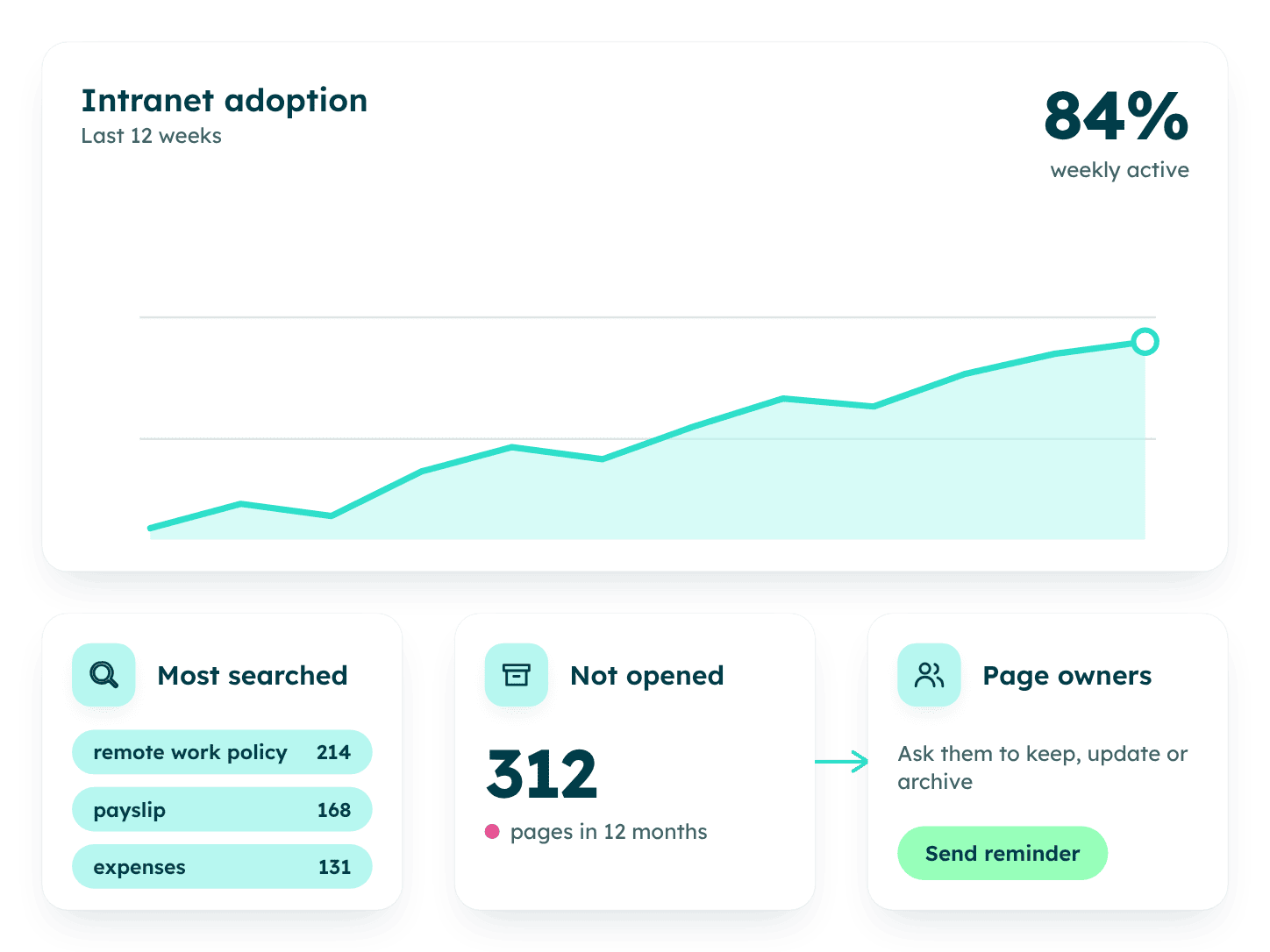
In short: both measure. Powell connects the numbers to governance, so stale content gets fixed, not just counted.
Which platform fits your priorities?
Read across the row that matters most to you.
| Priority | LumApps fits best when | Powell fits best when |
|---|---|---|
| Main productivity suite | You run Google Workspace, or a real mix of Google and Microsoft | Microsoft 365 is your foundation |
| Where content lives | You’re happy for intranet content to sit in a separate cloud | You want content and permissions to stay in your tenant |
| Internal communications | You need targeted news and campaigns on web and mobile | You also need to prove reach, with readership and read confirmations |
| Frontline teams | Staff without corporate accounts need shift schedules and chat | Every employee needs the same news, answers and services on mobile |
| Search and knowledge | You want natural-language AI search inside your employee hub | You want results people can trust, with owner and last update shown |
| Governance | Access rules inside the intranet are enough | IT needs to govern SharePoint sites and Teams across the tenant |
| AI and Copilot | You want AI agents inside your employee hub | You’re rolling out Copilot and need governed content first |
| Self-service | You rely on connectors to HR and IT systems | You want HR and IT journeys built into the intranet |
| Workplace services | You want desk booking, signage and visitor tools from one vendor | Your focus is the digital workplace on Microsoft 365 |
Ready to see Powell on your own Microsoft 365?
Pricing and implementation
Powell prices per user, in three tiers that build on each other, with a customer success team included. Some organizations launch in a few days; for 1,000+ employees, building the intranet with its content typically takes about four months.
LumApps says straightforward deployments can be running “in a matter of weeks,” with longer timelines for HR system integrations, custom micro-apps or multi-region rollouts.
Whichever you evaluate, ask the same three questions: what’s included in the subscription (implementation, support, updates), what drives the price up (users, modules, integrations), and who does the work on launch day.
Questions to ask in your demo
Demos are rehearsed. These questions take any vendor off script, Powell included.
- Where is our intranet content stored, and who manages its permissions?
- Show us a message going to one audience on the intranet, in Teams, by email and on mobile. How do we see who read it?
- Search for a policy that exists in two versions. Which one comes first, and how can an employee tell?
- How do you help IT see and govern SharePoint sites and Teams across our tenant?
- What happens to outdated or overshared content before Copilot or your AI can read it?
- Walk us through an HR request from start to finish.
- What can Comms update on the homepage themselves, and what needs IT?
- What’s in the subscription, and what costs extra?
Looking for a LumApps alternative? How to switch to Powell
Moving platforms takes planning, and starting from Microsoft 365 gives you a head start.
- Audit before you move. List what’s actually used and archive the rest. Powell’s governance tools show who owns what across SharePoint and Teams.
- Rebuild your content in SharePoint. Decide what to migrate and what to retire, then plan how news, pages, and key documents move across. Files already in SharePoint and OneDrive stay where they are.
- Keep your identity setup. Employees sign in with Microsoft 365 single sign-on, so users, groups, and permissions stay in one place.
- Launch in phases. Start with corporate teams to set the structure and governance, then bring everyone else on board.
- Bring in a partner. Powell’s certified partners in North America run design workshops, adapt the templates to your needs, and support your rollout.
Final verdict
LumApps is a strong choice for organizations that work across Google and Microsoft, or that need operational tools for staff without corporate accounts.
For organizations where Microsoft 365 is the foundation, Powell is the stronger LumApps alternative. It brings what IT, comms and HR need together in one platform: an intranet people use, governance over SharePoint and Teams, and content ready for Copilot, all on the stack you already run.
Frequently asked questions
What is the main difference between LumApps and Powell?▾
LumApps is a standalone employee hub that connects to Microsoft 365 and Google Workspace and stores intranet content in its own cloud. Powell is a digital workplace platform built natively on Microsoft 365, with intranet, governance and Copilot readiness in one platform and content kept in your tenant.
Is LumApps built on SharePoint?▾
No. LumApps runs as its own cloud platform, hosted on Google Cloud and Microsoft Azure, connecting to Microsoft 365 and Google Workspace. Powell is built natively on Microsoft 365 and SharePoint.
Can LumApps replace a SharePoint intranet?▾
LumApps provides the intranet front end and connects to documents in SharePoint and OneDrive. Powell keeps the intranet on SharePoint and governs the sites and Teams around it. For inspiration, see these SharePoint intranet examples.
Which is better for frontline workers?▾
It depends on what they need. For operational tools like shift schedules and chat for staff without corporate accounts, LumApps is strong. For the same news, search and services as the rest of the company, on mobile, Powell reaches 100% of your workforce, desk to frontline.
How much do LumApps and Powell cost?▾
LumApps doesn’t publish pricing on its site. Powell prices per user, across three tiers. Ask each vendor what’s included and what changes the price.
Can Powell help us prepare for Microsoft Copilot?▾
Yes. Copilot answers from what’s in your Microsoft 365. Powell helps make sure that content is owned, current and correctly permissioned, so Copilot answers from knowledge you trust.
What are the best LumApps alternatives for Microsoft 365 organizations?▾
Look for platforms built on Microsoft 365, so content, identity and permissions stay in your tenant. Powell is one LumApps alternative built for exactly that; Microsoft’s own SharePoint and Viva are another starting point. For a wider shortlist, see our guide to the best intranet solutions.
We could brag. They said it better.
Real teams, real Microsoft 365 rollouts, straight from G2. Read all Powell reviews on G2
“
Powell Intranet has been a strong addition to our Microsoft 365 environment, particularly in how it enhances SharePoint into a more intuitive and engaging digital workplace.
★★★★★ 5/5

Verified user
Consulting
“
What we appreciate most about Powell is its ability to centralize information and tools in a single, simple, and ergonomic platform.
★★★★★ 4/5

Fanny C.
Project director
“
The flexibility of the tool is immense. We were able to fit our requirements quite nicely, resulting in an overall good UI without affecting performance. The integrations with our Microsoft platform worked well, too.
★★★★★ 4.5/5

Shine M.
Head of IT projects & development
“
With Powell Intranet, we were able to launch the new intranet intended for more than 6,000 employees spread across various work environments (offices, airport terminals, and field teams).
★★★★★ 5/5
Verified user
Airlines/Aviation
“
Powell offers a significantly improved experience compared to a "simple" use of SharePoint, both for contributors and end users. Their deployment tool truly saves time and helps to easily maintain consistency between different sites.
★★★★★ 4/5
Verified user
Mechanical or industrial engineering
“
Better design than the SharePoint site, with a useful search feature and templates.
★★★★★ 4.5/5
Verified user
Chemicals
Done comparing?
Let’s talk, human to human.
Bring your Microsoft 365 setup, your shortlist and your toughest questions, and we’ll talk through what would actually work for your teams.


Nadim Faour
Junior Field Marketing Manager