
TL;DR – What you’ll learn
- The 15 best digital workplace tools span six categories: intranet hub, communication, collaboration, knowledge management, HR, and automation.
- Powell Intranet ranks #1 for Microsoft 365 organizations. It turns SharePoint into a modern, engaging hub employees actually use, not the one IT hopes they will discover one day.
- Tool sprawl is real and expensive. The average company runs 20 to 40 apps, and employees lose up to 40% of their productive time switching between them.
- When evaluating platforms, prioritize Microsoft 365 native integration, AI-powered search, mobile access, and measurable adoption.
- Always pick your central hub first. Then build the stack around it. Doing it the other way is how companies end up with eight tools and zero coherence.
What Are Digital Workplace Tools?
Digital workplace tools are the software platforms employees use to communicate, collaborate, share knowledge, and get work done from anywhere. They include intranet hubs, messaging apps, document collaboration suites, knowledge bases, HR systems, and automation platforms.
Ten years ago, the workplace was a building. Today it is a stack of integrations. The shift to hybrid work, accelerated by remote-by-default policies (58% of US workers now have the option to work remotely, per McKinsey), has turned the digital workplace from a side project into the operating system of the company. Choosing the right tools is no longer an IT preference. It is a business decision with measurable consequences on productivity, retention, and culture.
Now to the criteria we used to build this list.
How We Chose These 15 Tools
Plenty of tools call themselves “the future of work.” We needed something more specific. Each platform on this list passed five tests:
- Native Microsoft 365 integration, or a best-in-class alternative for organizations outside the Microsoft ecosystem.
- Employee adoption and ease of use, measured by published case studies and real-world deployment data, not vendor marketing.
- AI capabilities in 2026, including search, content generation, and personalization, with substance behind the buzzwords.
- Security and compliance, including GDPR readiness and suitability for regulated industries (finance, healthcare, public sector).
- Scalability, from mid-market deployments to global enterprises with multi-region governance needs.
A tool can rank highly in one category and still miss the cut if it falls short on adoption or security. Especially on adoption. A platform nobody uses is, by definition, not a platform.
Quick Comparison Table
Before the deep dives, here is the full list at a glance.
| # | Tool | Best For |
|---|---|---|
| 1 | Powell Intranet | Mid-market & enterprise on M365 |
| 2 | Microsoft SharePoint | M365 orgs needing structured storage |
| 3 | Microsoft Teams | Hybrid teams on M365 |
| 4 | Staffbase | Large orgs with frontline staff |
| 5 | Microsoft 365 Suite | Any cloud-first org |
| 6 | Jira + Confluence | IT and product teams |
| 7 | Notion | SMBs and scale-ups |
| 8 | Workvivo | Culture-driven orgs |
| 9 | Microsoft Viva | M365 orgs |
| 10 | Workday | Large enterprises |
| 11 | Microsoft Power Automate | M365 ops & IT |
| 12 | Zapier | Heterogeneous SaaS stacks |
| 13 | ServiceNow | Large IT orgs |
| 14 | LumApps | Multi-region enterprises |
| 15 | Blink | Retail, healthcare, logistics |
Now to the detail :
#1. Powell Intranet ⭐ Best Overall
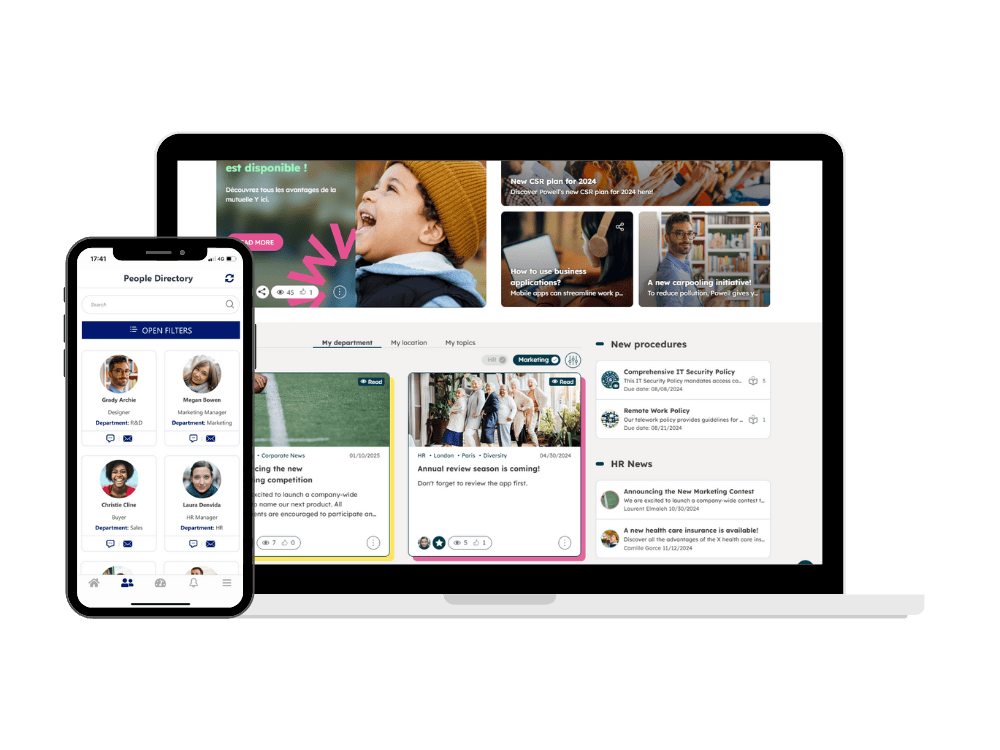
The Microsoft 365 native intranet that turns SharePoint into a digital workplace employees actually use.
If your organization runs on Microsoft 365, you already own most of the building blocks of a great digital workplace. You just may not know it yet. Powell Intranet picks up where SharePoint and Teams leave off, layering personalization, governance, AI-powered search (via Powell Buddy), and a user experience that does not require a 30-minute onboarding video.
What makes Powell different is what is missing from most competitors: no parallel platform, no data leaving your tenant, no SaaS-on-top-of-SaaS sprawl. Built directly on SharePoint and Microsoft 365, Powell respects your existing investments instead of competing with them. For regulated industries (finance, healthcare, public sector), the data sovereignty story alone is often enough to close the conversation.
Where it shines:
- Mid-market and enterprise organizations between 1,000 and 10,000 employees
- Microsoft 365 environments that need an intranet without a separate stack
- Regulated industries where compliance and governance are non-negotiable
- Multi-region rollouts with multilingual content and personalization
Trusted by 550+ organizations and 2 million+ users worldwide, with documented customer ROI as strong as 12 to 1, Powell turns the Microsoft 365 maze into a single, coherent workspace. Clients like Endress+Hauser, Toulouse Métropole, and Webhelp use it to reduce onboarding times, improve engagement across hybrid teams, and finally retire the legacy intranet nobody loved.
✅ Honest limitation: Powell is built for Microsoft 365 organizations. If your company runs Google Workspace, this is not the tool for you. (LumApps, at #14, will be more relevant.)
#2. Microsoft SharePoint
The document management backbone already included in most Microsoft 365 licenses.
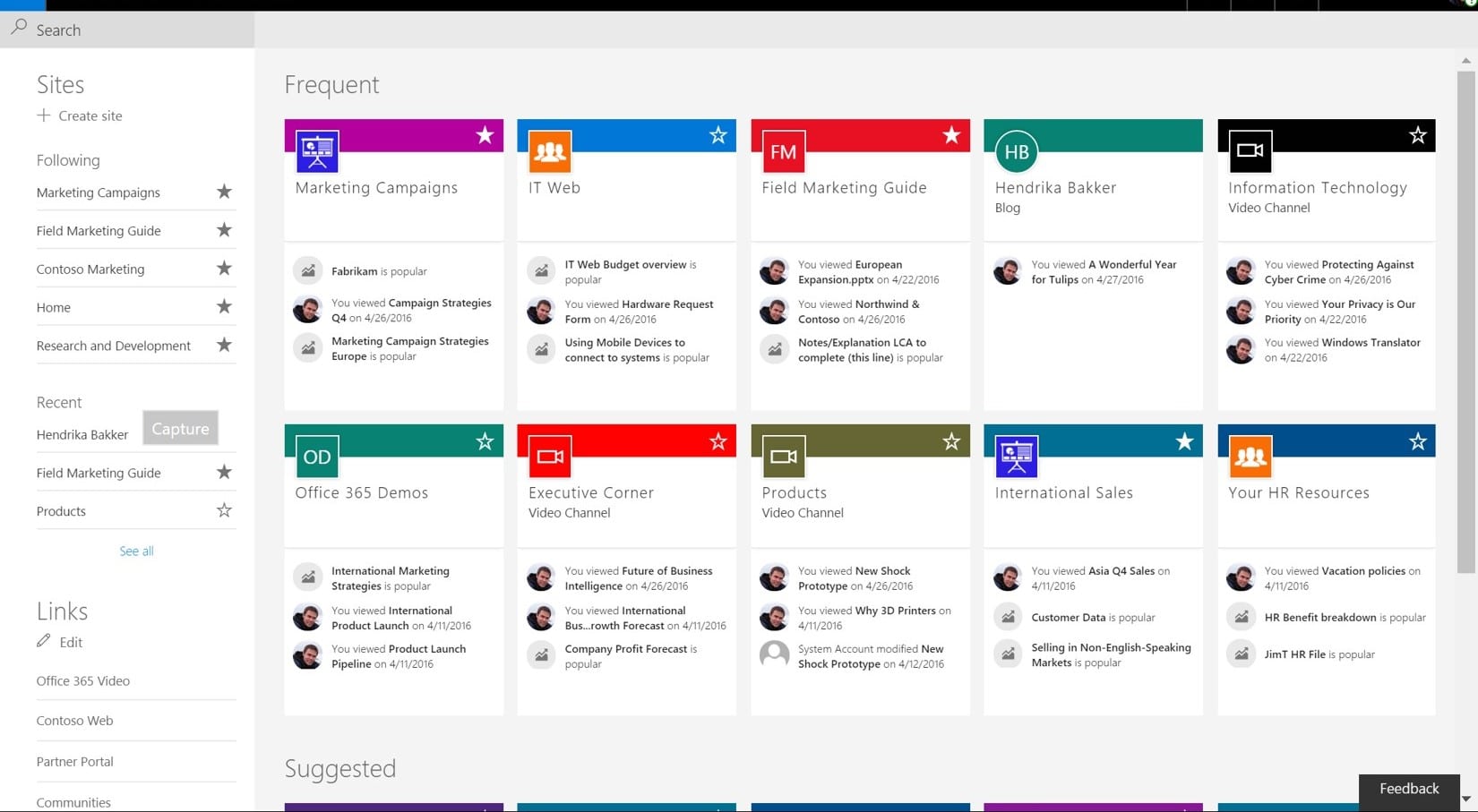
SharePoint is the silent foundation of corporate work. Most organizations on Microsoft 365 already pay for it, and most underuse it. It excels at structured document management, version control, deep Office integration, and permissions handling at scale. The Office files your team edits every day live there, whether anyone realizes it or not.
The challenge is adoption. SharePoint’s default user experience was designed by engineers, for engineers, and it shows. Industry studies suggest that as many as 31% of employees rarely or never use their company’s SharePoint, often because the navigation feels like an archaeological dig. The information is there. Finding it is the problem.
This is why SharePoint and a modern intranet layer like Powell Intranet are usually deployed together. SharePoint handles the substance. The intranet handles the experience. Treating them as competing tools rather than complementary ones is one of the most expensive mistakes Microsoft 365 organizations make. Used together, they deliver what neither does alone.
✅ Best for: Microsoft 365 organizations with structured document needs and a plan to layer UX on top.
#3. Microsoft Teams
The communication and real-time collaboration hub for the Microsoft 365 ecosystem.
With more than 320 million users worldwide, Microsoft Teams is the workplace equivalent of electricity: invisible until it goes down, then everything stops. It combines chat, video, file collaboration, and third-party integrations into a single workspace, with AI Copilot now built into most conversations and meetings.
Teams is exceptional at real-time work. Where it gets less effective is on top-down, organization-wide communication. A chat thread is not a campaign. A channel is not a homepage. For company news, structured employee experience, and long-form internal content, Teams needs a partner.
That partner is usually an intranet. Powell Intranet, for example, embeds directly inside Teams via Viva Connections, giving employees a single tab for company news, resources, and personalized content without leaving the app they already live in. This is the difference between a communication tool and a digital workplace: one keeps conversations moving, the other keeps the company aligned.
✅ Best for: Hybrid and remote teams already on Microsoft 365 that want conversation, collaboration, and intranet in one place.

#4. Staffbase
Enterprise employee communications for top-down, multi-channel organizational messaging.
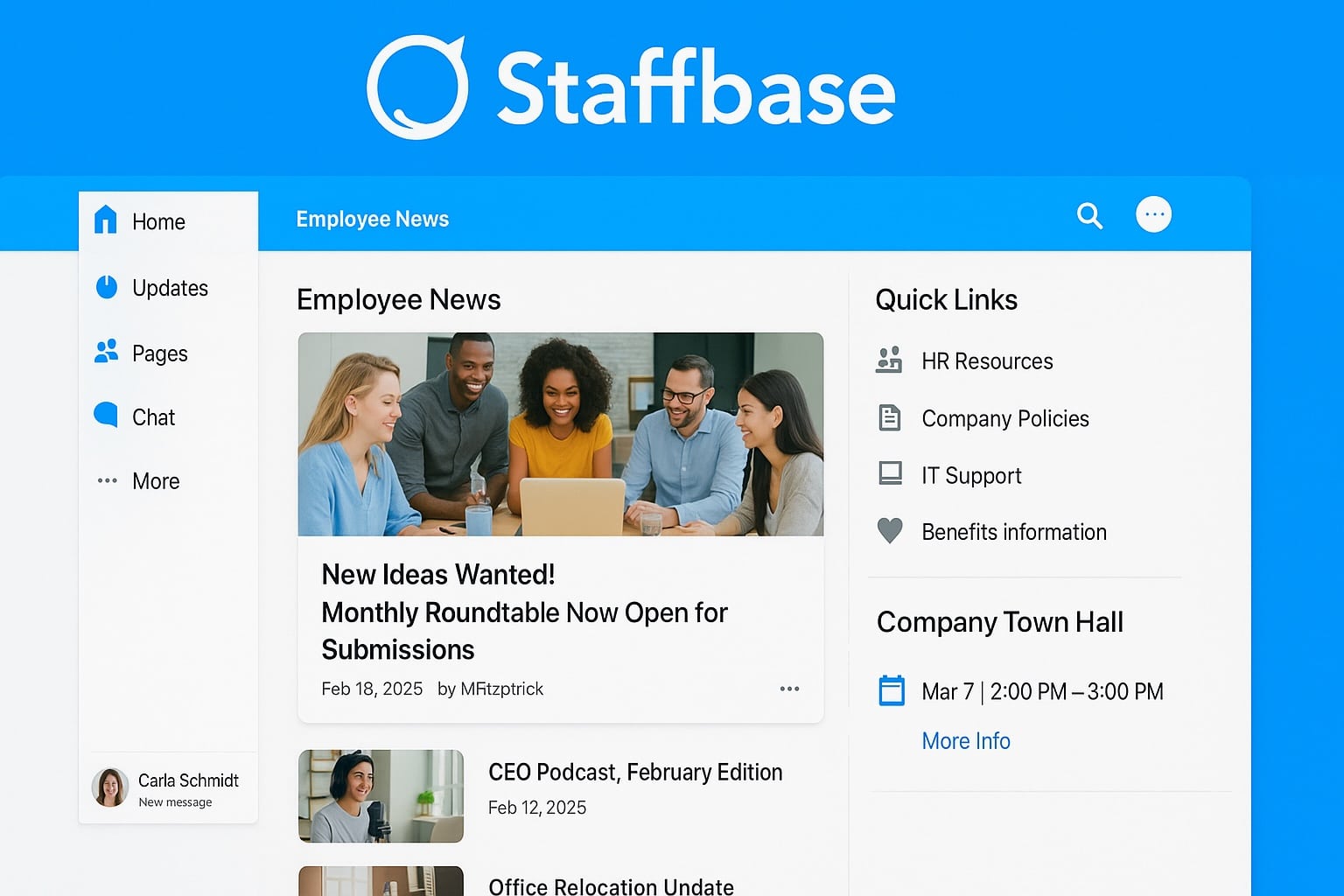
Staffbase has carved out a strong position as the go-to platform for large organizations with frontline and non-desk workers. With 2,800+ enterprise clients, it specializes in reaching the people who do not sit at a corporate desk all day: factory workers, drivers, nurses, retail staff. Mobile-first, multi-channel, with strong audience segmentation and AI-assisted content creation, it solves a real and often underserved problem.
Where the conversation gets nuanced is the difference between communications and a complete digital workplace. Staffbase is excellent at sending the right message to the right segment. It is less designed for structured knowledge, document governance, and the deeper Microsoft 365 integration that desk workers and IT teams typically expect. Connectors exist, but they are not the same as native architecture.
If your strategic priority is broadcasting company news to a large frontline workforce, Staffbase is a serious contender. If you also need a unified intranet, knowledge hub, and Microsoft 365 native governance, you will likely need to pair it, or pick a platform that does both natively.
✅ Best for: Large enterprises with significant frontline and deskless populations.
#5. Microsoft 365 Suite
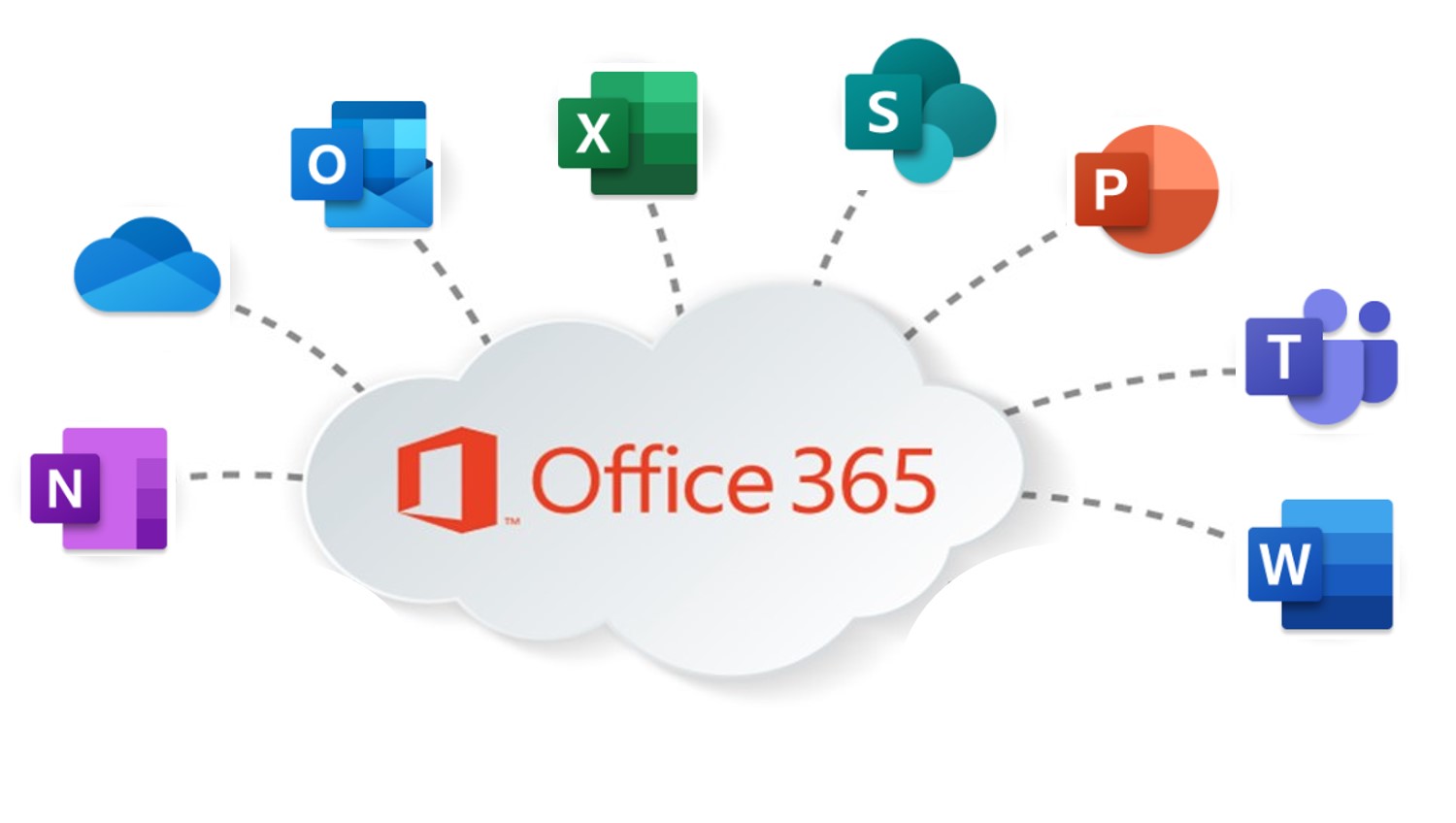
The productivity backbone: Word, Excel, PowerPoint, Loop, OneDrive, Forms, and more.
The Microsoft 365 suite needs little introduction. It is the operating layer of most knowledge work on Earth. Real-time co-editing in Word and PowerPoint, OneDrive for personal storage, Loop for collaborative wikis, Forms for surveys, Power BI for analytics, Planner for tasks, and Copilot for AI assistance across all of it. If your company has a corporate email signature, there is a strong chance these tools are involved.
The catch is that productivity tools are not a workplace. They are pieces of one. A team can have flawless Word documents and still have no idea where to find the company holiday policy. The suite handles the work. It does not handle the workspace: the place where company information lives, where new hires are onboarded, where the latest news arrives, where culture is reinforced.
That is the role of an intranet hub. Without one, the Microsoft 365 suite tends to fragment into private OneDrives and team-specific Teams channels, with critical information scattered across hundreds of containers nobody can search effectively.
✅ Best for: Any organization that needs an integrated cloud productivity suite, ideally paired with a centralized hub.
#6. Jira + Confluence (Atlassian)
Project tracking and structured knowledge management for technical and product teams.
Atlassian’s flagship duo has earned its reputation. Jira is the de facto standard for agile project tracking: issues, sprints, Kanban boards, burndown charts. Confluence handles structured documentation: wikis, technical specs, runbooks, retrospectives. For IT, product, engineering, and operations teams, the combination is often non-negotiable.
What Jira and Confluence are not, despite occasional positioning, is a corporate intranet. Confluence is excellent at technical knowledge, but the user experience is built for people who write SQL queries on weekends. For company news, employee onboarding, HR content, executive communications, and the daily flow of internal information, most organizations need a separate hub designed for the non-technical 80% of the workforce.
The healthy approach is to let Atlassian own what it owns well (technical project management and knowledge) and pair it with a corporate intranet for the rest. Trying to force Confluence to be a company-wide intranet is a documented way to lose six months of internal communications time.
✅ Best for: IT, product, and engineering teams running agile projects with structured documentation needs.

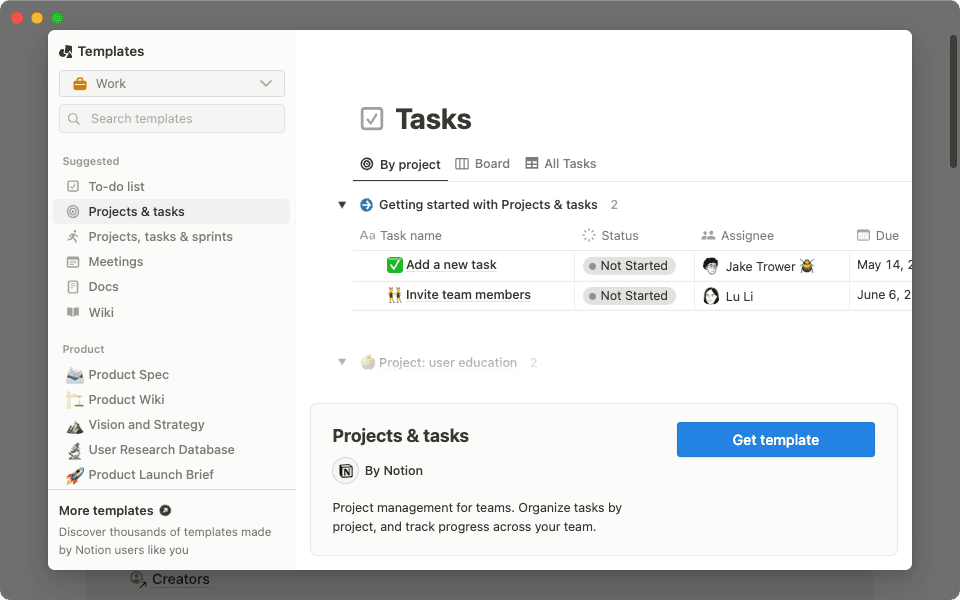
#7. Notion
Flexible all-in-one workspace for notes, wikis, databases, and lightweight project management.
Notion has become the favorite of scale-ups, creative teams, and anyone tired of switching between five different tools to track a project. Its block-based editor, flexible databases, Kanban views, and increasingly capable AI assistant make it an excellent fit for small to mid-sized teams with flat structures and high autonomy.
Notion’s strengths are also its limits at scale. The flexibility that feels liberating in a 50-person company can become governance chaos in a 5,000-person one. Search degrades at high content volume. Compliance features remain modest compared with enterprise platforms. Sensitive industries usually find it does not meet their internal audit requirements out of the box.
If your organization is under a few hundred people, fast-moving, and culturally allergic to bureaucracy, Notion is one of the best tools you can adopt this year. If you are a 3,000-person regulated organization, the cost of a Notion deployment is rarely the bill from Notion. It is the cost of cleaning up the sprawl six quarters later.
✅ Best for: SMBs and scale-ups that value speed, flexibility, and low governance overhead.
#8. Workvivo (by Zoom)
Social intranet focused on employee engagement, culture, and community building.
Acquired by Zoom in 2023, Workvivo doubled down on one specific job: making the company feel like a community, especially in remote and hybrid environments. Its social-network-style feed, peer recognition tools, surveys, community spaces, podcasts, and video streaming all serve a single purpose: belonging.
In its core domain, it works. Companies that have used Workvivo report meaningful improvements in engagement scores and feelings of cultural connection. The mobile experience is genuinely strong, and the user interface borrows enough from consumer social apps to make adoption feel effortless.
Where Workvivo is less strong is the operational backbone of a digital workplace: structured knowledge management, document governance, deep Microsoft 365 integration, regulated-industry compliance. It is a social layer, not an operating layer. Most organizations that adopt it run it alongside a more structured hub for documents and processes, rather than instead of one.
✅ Best for: Organizations whose primary pain is culture and engagement, not knowledge or governance.

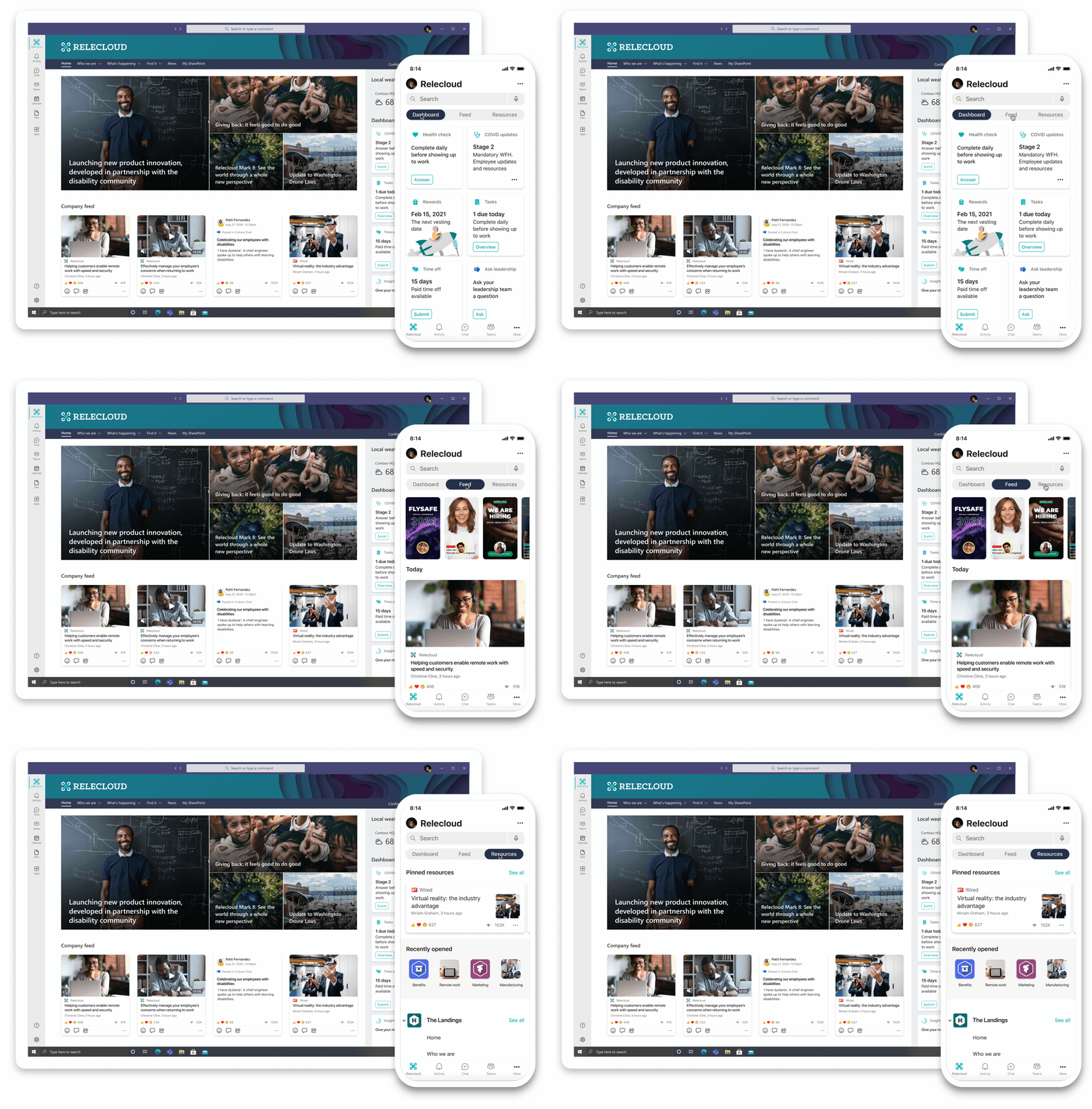
#9. Microsoft Viva
The employee experience platform built directly into Microsoft Teams and Microsoft 365.
Microsoft Viva is Microsoft’s answer to the employee experience question: how do you connect people, knowledge, learning, and wellbeing inside the tools they already use? The platform spans several modules: Viva Connections (intranet in Teams), Viva Learning, Viva Insights (wellbeing and analytics), and Viva Topics (AI-powered knowledge discovery).
Used well, Viva can be a powerful complement to an existing Microsoft 365 stack. Viva Connections in particular gives employees a clean entry point into the intranet without leaving Teams. Viva Topics surfaces expertise across SharePoint and Teams content using AI, reducing the time people spend hunting for the same file for the third time this quarter.
The honest caveat: Viva is a collection of capabilities, not a fully designed intranet. Several modules require additional licensing. The end-user experience still needs to be built, branded, and governed, which is where dedicated platforms like Powell Intranet come in. Powell uses Viva Connections to surface its intranet inside Teams, combining the best of both.
✅ Best for: Microsoft 365 organizations looking to deepen employee experience across Teams, ideally paired with a dedicated intranet platform.
#10. Workday
Enterprise HCM and HR management platform for large organizations with complex workforce needs.
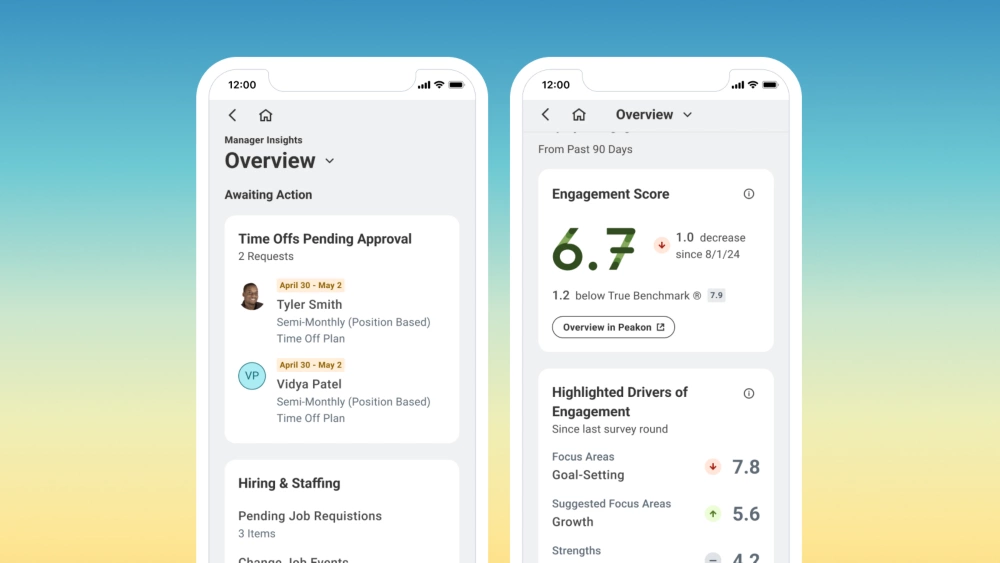
Workday is the gold standard for enterprise HR. Its strengths are well known: a unified HRIS, payroll, talent management, onboarding workflows, workforce analytics, and an employee self-service portal that genuinely works at scale. For organizations above 5,000 employees with complex compensation, benefits, and global mobility needs, it is often the only credible option.
What Workday is not, and does not pretend to be, is a digital workplace platform. It is an HR system, not a communication or knowledge tool. Trying to use Workday as your intranet is the corporate equivalent of using a forklift to do dishes. Technically possible, terrible in practice.
The way Workday fits a modern digital workplace stack is through integration. The intranet links to Workday for HR self-service. Single sign-on connects the two. Employees access their pay slips, benefits, and time off from Workday, while everything else (news, knowledge, collaboration) lives in the intranet hub. Cleanly separated, cleanly integrated.
✅ Best for: Large enterprises with complex HR, payroll, and workforce planning needs.
#11. Microsoft Power Automate
No-code workflow automation built into the Microsoft 365 ecosystem.
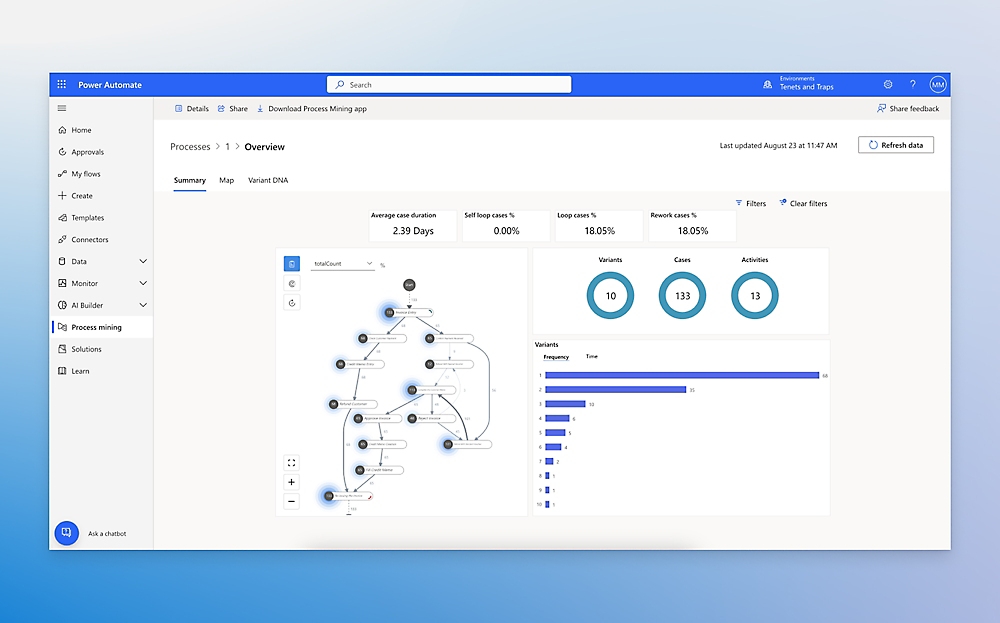
Power Automate has quietly become one of the most impactful tools in the Microsoft 365 stack. With a no-code interface and deep integration into SharePoint, Teams, Outlook, and hundreds of third-party services, it lets ops and IT teams automate repetitive work without writing custom code. According to Forrester’s 2024 Total Economic Impact study, organizations using Power Automate reported a 248% ROI over three years.
ROI reported over 3 years (Forrester, 2024)
The use cases are everywhere: leave request approvals, document review chains, onboarding checklists, content publishing workflows, alert routing. Anything repetitive and predictable becomes a candidate. For organizations also using Powell Intranet, the pairing is particularly strong: Power Automate handles the workflow execution, while Powell Governance handles the lifecycle (content approval, archival, compliance) that wraps around it.
The honest caveat: advanced flows can become complex to debug, and some premium connectors carry meaningful costs. The full RPA capabilities have a real learning curve. Used pragmatically, however, even simple Power Automate flows save hundreds of hours per team per year.
✅ Best for: Ops and IT teams looking to automate Microsoft 365 workflows without custom development.
#12. Zapier
The go-to automation tool for connecting apps outside the Microsoft ecosystem.
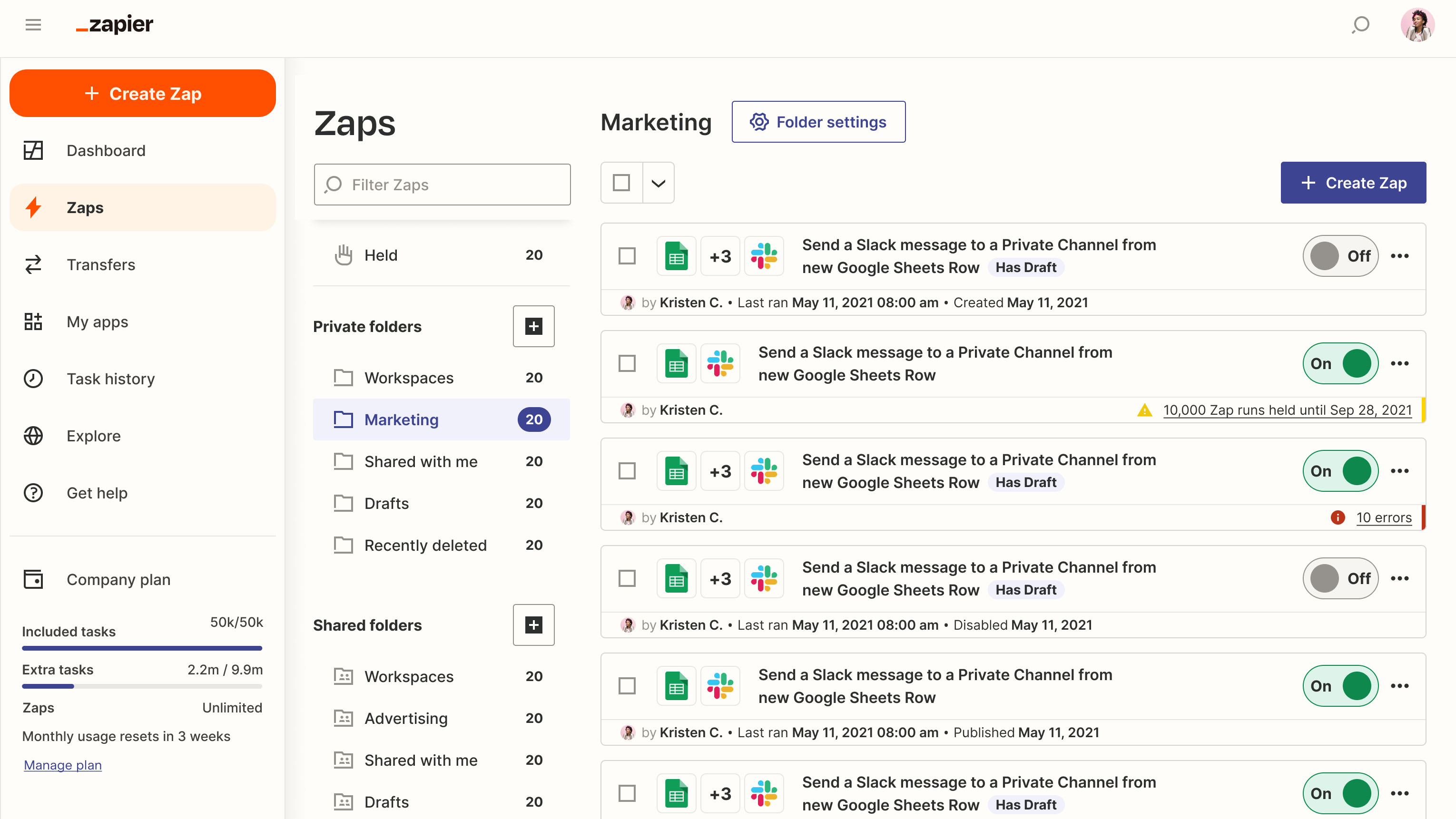
If your stack lives mostly outside Microsoft 365, Zapier is probably already part of it. With over 6,000 app integrations, multi-step “Zaps,” conditional logic, filters, and a famously friendly interface, it has become the duct tape of modern SaaS. Marketing ops teams in particular have built entire workflows around it.
For Microsoft-centric organizations, the comparison with Power Automate is genuine. Power Automate goes deeper inside Microsoft 365. Zapier goes wider across non-Microsoft SaaS. The right choice depends on where your stack actually lives.
Two important caveats. First, cost scales quickly with volume; what feels affordable at small scale can become significant at enterprise volume. Second, data passing through Zapier transits through its servers, which raises real compliance questions for regulated industries. For sensitive workflows in finance, healthcare, or the public sector, this is usually a deal-breaker, and a Microsoft-native automation approach becomes the safer choice.
✅ Best for: SMBs and ops teams running heterogeneous SaaS stacks outside Microsoft 365.
#13. ServiceNow
Enterprise-grade ITSM and ESM platform for large IT organizations and regulated industries.
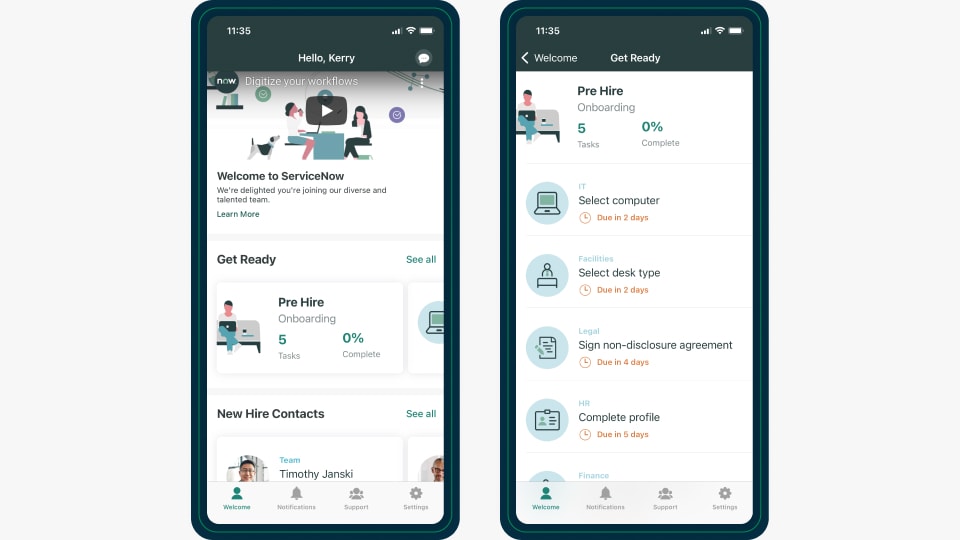
ServiceNow has built a near-uncontested position in enterprise IT service management. Its capabilities now extend well beyond ITSM into enterprise service management for HR, Finance, Legal, and beyond, with a unified self-service portal, AI-driven routing through Now Intelligence, and rich workflow automation. Documented ROI cases are strong: the NBA, for example, reported a 51% ROI from its ServiceNow deployment.
For large IT organizations with high ticket volume, complex change management, and the need to standardize service operations across hundreds of teams, ServiceNow is often the right answer.
For everyone else, it is overkill. The implementation cost, the consulting overhead, and the dedicated platform team needed to run it well make it impractical for mid-market organizations. Most companies under 5,000 employees do not need an ESM platform. They need a clean intranet with a few well-built request forms, which is a problem Microsoft 365 native solutions solve at a fraction of the cost.
✅ Best for: Large enterprises and regulated industries with complex ITSM and enterprise workflow needs.
#14. LumApps
Connected employee hub for large global organizations needing multi-region intranet at scale.
LumApps has built its reputation on multi-region, multilingual deployments at the enterprise scale. For large international organizations spanning desk workers, frontline staff, and hybrid populations across multiple geographies, its governance and content architecture are genuinely robust. It also integrates with both Google Workspace and Microsoft 365, which makes it one of the few credible options for organizations on Google.
The trade-off is depth versus breadth. LumApps spreads across more ecosystems than Powell, but goes less deep into any single one. For organizations standardized on Microsoft 365, a native platform like Powell Intranet delivers tighter integration, faster deployment, and a lower total cost of ownership. The data sovereignty story is also cleaner with a platform that stores everything in the customer’s own Microsoft 365 tenant.
For pure Google Workspace organizations, LumApps is often the right call. For Microsoft 365 organizations with regulated-industry requirements, Powell is usually the more pragmatic choice. The good news: most organizations only need to pick one.
✅ Best for: Global digital workplace deployments at enterprise scale, especially on Google Workspace.

#15. Blink
Mobile-first digital workplace super-app for frontline and non-desk workers.
Blink has built its product around a specific reality: most companies’ digital workplaces ignore the people who actually do the physical work. Retail clerks, warehouse staff, nurses, hospitality workers, drivers. For these populations, traditional intranets are unusable, often because access to a desktop is rare or non-existent. Blink solves this with a mobile-first super-app that combines secure chat, social feed, digital forms, shift management, and a knowledge hub, all designed for a thumb on a small screen.
Deployment is fast, often measured in weeks rather than months, and adoption rates among frontline workers tend to be high because the experience genuinely fits how they work. For organizations with 500+ frontline employees in retail, healthcare, hospitality, logistics, or manufacturing, it is one of the strongest options on the market.
The trade-off is that Blink is purpose-built for the frontline, not for desk-based corporate communications. It is also lighter on governance and integrations than enterprise platforms. Many large organizations end up running Blink alongside a more comprehensive employee intranet, with each platform serving the population it best fits.
✅ Best for: Retail, healthcare, hospitality, logistics, and manufacturing organizations with 500+ frontline employees.

How to Choose the Right Digital Workplace Tools
Picking the right stack is less about features and more about answering five questions honestly.
What ecosystem are you committed to? Microsoft 365 or Google Workspace? The answer narrows your shortlist by half.
Who is your workforce? Mostly desk-based, mostly frontline, or split? Tools that excel for one often disappoint the other.
How regulated is your industry? Finance, healthcare, and public sector have data sovereignty and compliance requirements that exclude many otherwise-attractive options.
What is your current adoption baseline? If your existing intranet has 20% monthly active use, the priority is UX and personalization. If you have no intranet at all, the priority is structure and governance.
Who owns digital workplace strategy internally? IT, Comms, HR, or a steering committee? The answer shapes which platform will get the resources to succeed.
The most expensive mistake we see is starting with the tool and reverse-engineering the strategy. The right order is the opposite. Define the strategy, pick the central hub, then build the stack around it. Powell Intranet often serves as that central hub for Microsoft 365 organizations, with everything else (Teams, SharePoint, Power Automate, Workday) plugging in around it. Start your hub design with a proven intranet template and adapt from there.
FAQ
Digital workplace tools are software platforms that help employees communicate, collaborate, share knowledge, and complete work from any location. They typically span six categories: intranet hubs, communication apps, collaboration suites, knowledge management platforms, HR systems, and automation tools. Together, they form the digital backbone of how modern organizations operate.
For Microsoft 365 organizations, Powell Intranet is widely considered the strongest option. Built natively on SharePoint and Microsoft 365, it combines a modern user experience with deep integration, AI-powered search, and the security and governance required by regulated industries. It works alongside Teams, SharePoint, Viva, and Power Automate rather than replacing them, which keeps total cost of ownership low and adoption high.
Most mid-market and enterprise organizations run between 20 and 40 distinct digital workplace tools. Employees switch between applications more than 1,200 times per day on average, and studies suggest this context-switching costs up to 40% of productive working time. The trend in 2026 is consolidation: fewer, better-integrated tools deliver more value than wide, fragmented stacks.
An intranet is a single platform: the central hub for company news, knowledge, and resources. A digital workplace is the broader ecosystem of tools employees use to do their work, including the intranet, plus communication apps, collaboration suites, HR systems, and automation tools. Think of the intranet as the front door, and the digital workplace as the entire building.
Some are. Regulated industries like finance, healthcare, and the public sector have specific data sovereignty, compliance, and governance requirements that exclude many consumer-style platforms. Microsoft 365 native solutions like Powell Intranet, where data stays in the customer’s own tenant, are typically the strongest fit because they inherit Microsoft’s compliance certifications and avoid moving sensitive information to third-party servers.
Five priorities, in order: (1) compatibility with your existing ecosystem (Microsoft 365 or Google Workspace), (2) ease of adoption and quality of user experience, (3) security and compliance fit for your industry, (4) AI capabilities that actually deliver value (not just buzzwords), and (5) total cost of ownership across licensing, internal effort, and change management. Tools that score well on adoption and TCO almost always outperform tools that score well only on features.
Conclusion
A great digital workplace is not the company with the most tools. It is the company whose tools feel like one. The 15 platforms in this list represent the best of what 2026 has to offer, but no organization should adopt all of them. The right move is to define your strategy, pick your central hub, then assemble the rest with discipline.
For Microsoft 365 organizations especially, that hub is increasingly Powell Intranet: native, governed, engaging, and built for the realities of regulated industries and complex mid-market and enterprise environments.

Jordan Washington
Regional Marketing Manager