
What does a modern intranet actually do?
The job description has changed. A modern intranet is not a document library with a company news section. It is the primary environment where employees find information, complete tasks, connect with colleagues, and understand what is happening across the business.
According to McKinsey Global Institute research, employees spend an average of 28% of their workweek searching for information or communicating internally. That is a structural drag on productivity that a well-implemented intranet measurably reduces.
The platforms worth evaluating in 2026 all cover five core areas. How well they cover them, and at what cost, is where the real differences appear.
- Internal communications: targeted news, leadership messaging, newsletters, multi-channel publishing
- Collaboration: team spaces, co-authoring, employee directories, org charts
- Employee engagement: recognition, surveys, communities, onboarding experiences
- Self-service: HR and IT request management, knowledge bases, policy libraries
- Knowledge management: federated search, content governance, information lifecycle
The 10 platforms at a glance
Platforms are ordered by accumulated analyst recognition across Gartner and ClearBox. Powell leads as our editorial pick, followed by platforms with strong Gartner MQ standing or specialized recognition from ClearBox and IDC.
| Platform | Best for | G2 rating |
|---|---|---|
|
#1
|
Microsoft 365 organizations, mid-market to enterprise, regulated industries | 4.1/5 |
|
#2
 |
AI-first employee experience, Gartner MQ Leader three consecutive years, knowledge-worker environments | 4.6/5 |
|
#3
 |
Culture-first and frontline organizations, Gartner Customers’ Choice x2 | 4.8/5 |
|
#4
 |
Large enterprise, brand-driven, ClearBox top scores in content and branding | 4.5/5 |
|
#5
 |
Google Workspace enterprises, dual M365/Google environments | 4.4/5 |
|
#6
 |
Large frontline and deskless workforces, mobile-first communications | 4.6/5 |
|
#7
 |
Mid-to-large enterprise, IDC MarketScape Leader, strong knowledge management | 4.5/5 |
|
#8
 |
Complex multi-country or multi-brand M365 environments | Not rated |
|
#9
 |
Mid-market SharePoint improvement, ClearBox reviewed, strong customer satisfaction | Not rated |
|
#10
 |
M365 organizations with simple needs and strong IT resources | 4.0/5 |

The platforms in detail
1. Powell
ISO27001 – G2 : 4,1/5
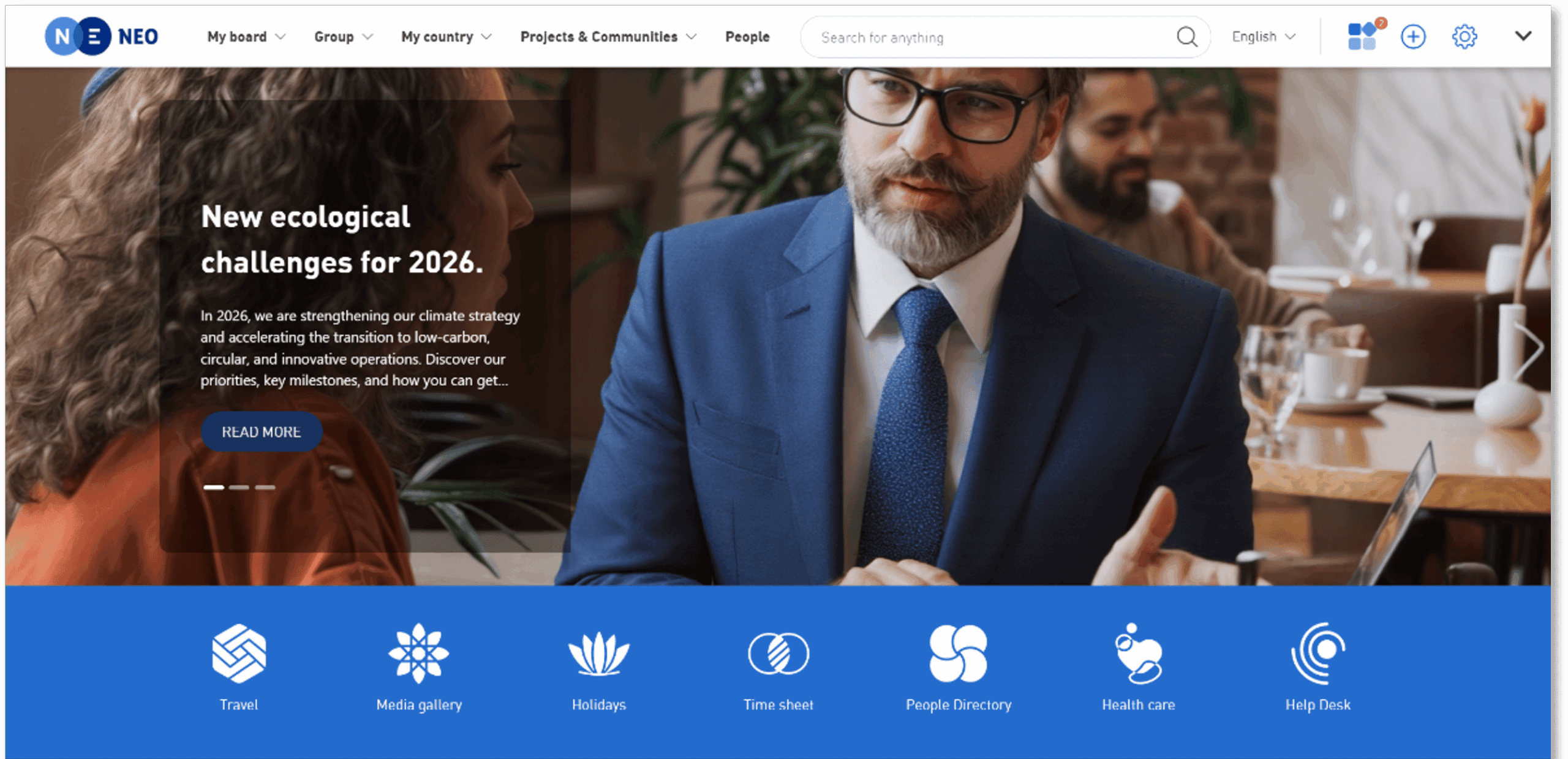
Powell is built directly on Microsoft 365 and SharePoint, fully native to your existing environment. The platform lives inside your Microsoft tenant, which means your data stays where it already is, authentication runs through Entra ID, and your existing permissions model carries forward without any rework.
For organizations in regulated industries, that architecture is often a requirement rather than a preference. Powell is ISO 27001 certified and by design sits within the Microsoft security perimeter. Financial services firms, healthcare organizations, manufacturers, law firms, and public sector agencies that need strict data residency controls tend to find this the most straightforward path to a compliant intranet.
The practical consequences of that architecture show up quickly: no parallel cloud environment to manage, no data leaving your security perimeter, no second authentication system to maintain. For regulated industries, that shorter security conversation often tips the decision.
In the past two years, Powell has invested most visibly in making the intranet manageable without developer dependency. Content Builder gives communications teams page-design control without requiring an IT ticket. AI Studio lets administrators configure knowledge bases and AI agents for HR, IT, marketing, and internal communications scenarios without writing code. Powell Buddy surfaces relevant content and answers employee queries across the intranet. The result is a platform where the people who own the employee experience can actually run it.
Powell’s value proposition is built around native Microsoft 365 architecture: data residency inside your own tenant, no separate identity or storage layer to manage, and implementation timelines measured in weeks rather than quarters. ClearBox’s 2026 independent review reflects that focus, scoring Powell 3.5 out of 5 or above across seven of eight evaluation scenarios. Organizations outside the Microsoft 365 ecosystem, or those needing a single platform to span multiple productivity suites, will likely find a better fit elsewhere in this guide.
In North America, Powell is deployed by organizations including Quest Diagnostics, Duane Morris, CrossFirst Bank, and Aspire Living and Learning. Its North American certified partner network gives organizations local support through deployment and beyond.
What works well
- Native M365 architecture: all data remains in your Microsoft tenant, no additional security perimeter, no parallel cloud environment to manage
- ISO 27001 certified with a strong reference base in financial services, healthcare, legal, manufacturing, and the public sector
- AI capabilities: Powell deploys your knowledge base directly into Microsoft Copilot, giving employees reliable answers within the tool they already use. The same AI capabilities generate content directly, including news blocks, banners, visuals and newsletters, reducing the manual work behind keeping the intranet current. + Configurable AI scenarios for HR, IT, and knowledge management let teams set this up without developer involvement
- Pre-built templates and web parts that most organizations use to reach go-live in weeks rather than months
- Advanced audience targeting, per-entity branding, and content personalization managed by communications teams, not IT
- Built-in analytics covering content performance, adoption rates, and engagement trends
- Dedicated customer success methodology (Success Plan) to define key objectives up front and track their progress over time
- Backed by a growing certified partner network across North America, giving organizations access to local, industry-specific implementation support as they deploy
Worth knowing before you buy
- Powell is a Microsoft 365 platform by design, not by integration. If your organization is on Google Workspace or operates in a mixed environment, this is not the right fit: the architecture assumes M365 as the foundation
- The richness of Powell’s component library means there are meaningful decisions to make up front about governance, content architecture, and personalization rules. Organizations without a clear internal communications strategy going in tend to take longer to realize value than those that arrive with defined use cases
- Less suited to small organizations or teams whose need is limited to one-way, top-down communication; the platform’s depth is built for organizations managing communication, collaboration, and self-service together
Best for: Mid-market and enterprise organizations already on Microsoft 365 that want to transform SharePoint into a modern, governed intranet without building from scratch or taking on a multi-year technical project.
Pricing: Per user per month subscription, scaled by number of users. Includes implementation, configuration, customer success programme, Powell User Club membership, and ongoing updates. Custom quote available via Powell directly or through certified North American partners. See Powell’s pricing page
2. Simpplr
G2: 4.6/5
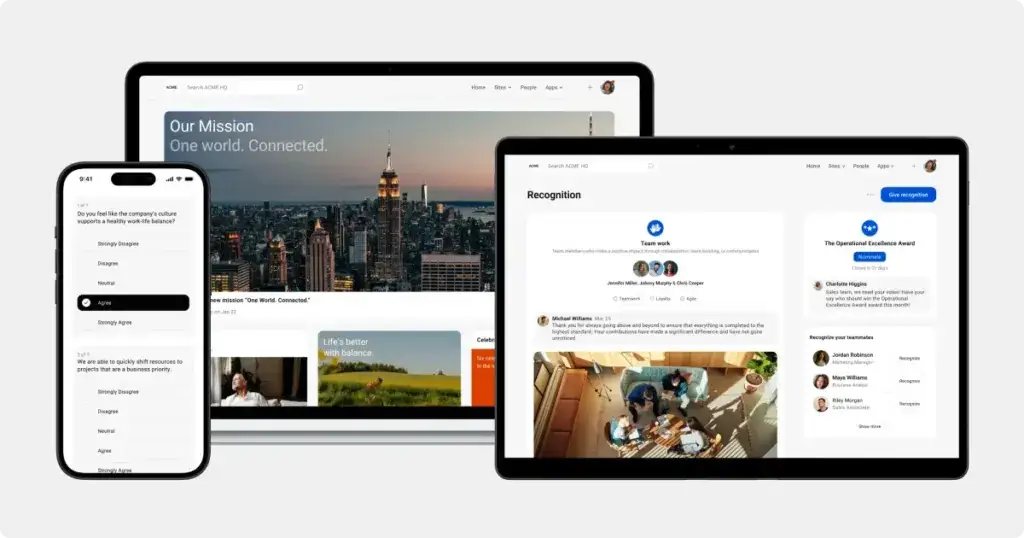
Simpplr has consistent recognition in independent reviews. G2’s Spring 2026 Employee Intranet report places Simpplr in the Leader quadrant with 98% of users rating it 4 or 5 stars and a 92% willingness-to-recommend score, two of the highest figures in the category.
The platform is genuinely built around AI rather than having it added on after the fact. Personalized content feeds, semantic search, and workflow automation are native to the architecture.
For organizations where user adoption is the single most important metric in an intranet evaluation, Simpplr is the most externally validated option in this guide.
What works well
- AI built into the core product: personalized content feeds, semantic search, and workflow automation are native to the architecture, not layered on after the fact
- Employee sentiment analytics built into the platform, not a separate tool
- Strong customer satisfaction scores for onboarding, support, and ease of administration
Where it gets complicated
- Simpplr is a standalone SaaS platform, which means your intranet data lives in Simpplr’s infrastructure, not your own. For organizations with strict data residency requirements, this adds a procurement conversation that platforms built natively inside M365 or Google Workspace avoid entirely
- The AI capabilities that differentiate Simpplr require content to be well-governed and consistently maintained to deliver on their promise. Organizations with fragmented, outdated, or untagged content estates typically need a content cleanup project before the AI layer produces reliable results
- Pricing sits at the higher end of the market. The strong satisfaction scores suggest most customers feel it is justified, but it is worth pressure-testing ROI expectations against your actual use case rather than the most optimistic scenario in a sales deck
Best for: Organizations that prioritize user adoption and AI-powered employee experience above all else. Works well for knowledge-worker environments across industries and technology ecosystems.
Pricing: Custom quote. Positions in the premium enterprise range.
3. Workvivo by Zoom
Gartner Peer Insights Customers’ Choice 2024 and 2025 | G2: 4.8/5
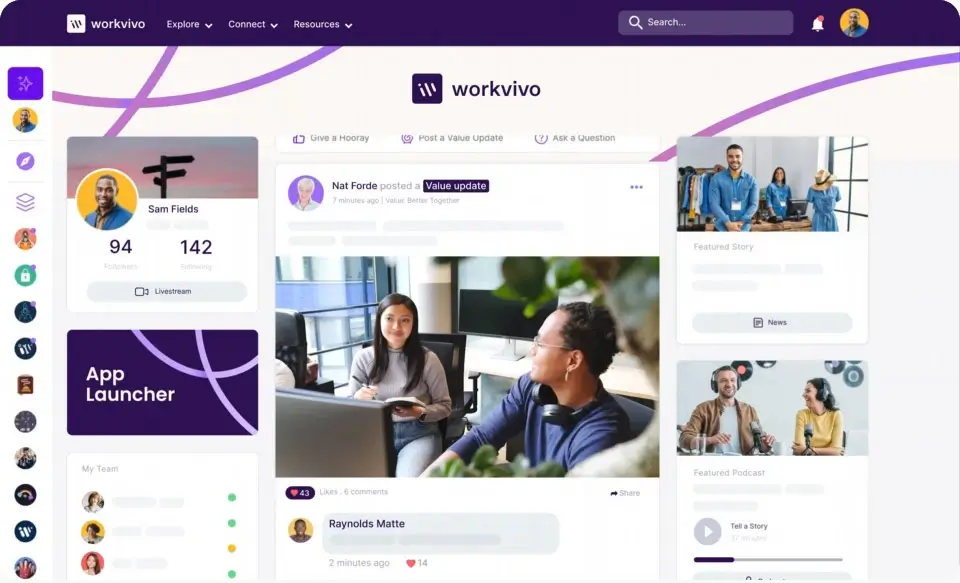
Insights Customers’ Choice designation two years running, based on 139 verified reviews with a 94% recommendation rate, the highest verified satisfaction score in the category.
Workvivo is built around community, recognition, and reach. News feeds, events, employee recognition, surveys, and a social layer that employees tend to actually use rather than avoid. For organizations where the intranet has historically been something people open once a quarter, Workvivo tends to change that. Its tight integration with Zoom’s meeting, voice, and messaging tools creates a more unified experience for organizations already running on that ecosystem.
What works well
- Purpose-built mobile experience for frontline and deskless workers
- Social and community features that generate genuine adoption rather than compliance-driven usage
- Deep Zoom integration for organizations where Zoom is the collaboration backbone
Where it gets complicated
- Workvivo’s strength is in engagement and community. Organizations that primarily need structured knowledge management, complex content governance, or deep HR self-service functionality may find they are paying for a communications platform when they needed something closer to a digital workplace hub
- The Zoom acquisition has brought tighter product integration, but also a dependency on Zoom’s roadmap priorities. Organizations not running on Zoom may see less long-term benefit from the deeper ecosystem features
- The social-first design that drives Workvivo’s adoption numbers can also create content noise in organizations without a clear editorial strategy. High volume of activity is not the same as high quality of information
Best for: Organizations where frontline reach, employee recognition, and community are the primary intranet objectives. Particularly strong for Zoom-native environments.
Pricing: Custom quote.
4. Unily
ClearBox Intranet and Employee Experience Platforms Report 2026 | G2: 4.5/5
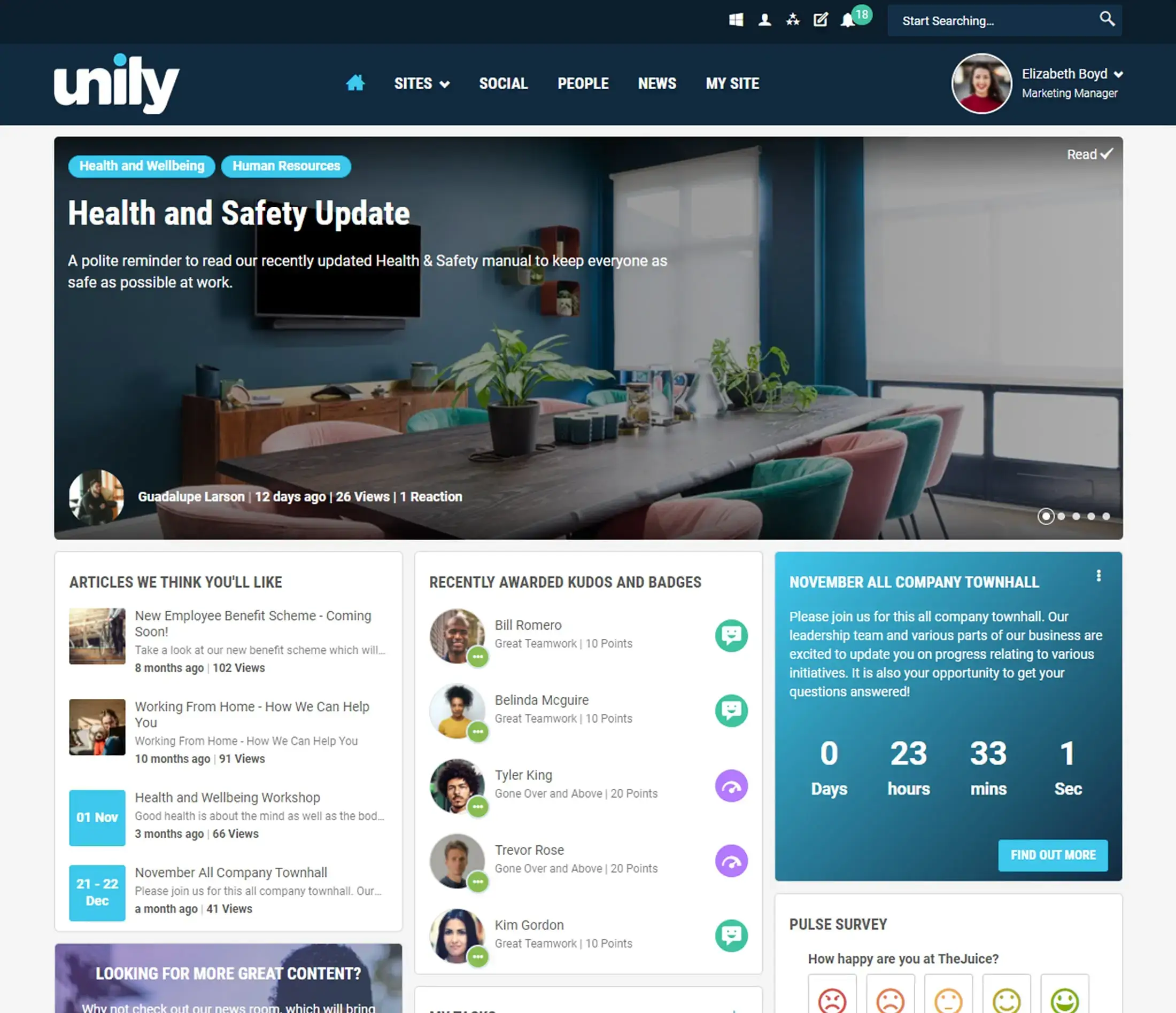
Unily is recognized by ClearBox across multiple consecutive editions of their report. The platform receives particularly strong marks in frontline worker support, content and metadata management, audience segmentation, employee journeys, branding and templating, and delegated administration. That last one is particularly relevant for large enterprises managing intranet publishing across multiple regions or brands.
The platform is designed for organizations where the intranet needs to look as good as the public-facing brand, support tens of thousands of users without degradation, and give communications teams real editorial control without creating an IT dependency. It has been recognized by ClearBox across multiple consecutive editions of their report for employee experience, communications management, and community features.
What works well
- Strong branding, content management, and delegated administration capabilities for large, multi-region deployments
- Exceptional design flexibility for organizations where visual brand quality is a strategic requirement
- Proven at scale, with strong references among organizations of 50,000 or more users
- AI capabilities strong in the multimedia layer: video management, content tagging, audience segmentation
Where it gets complicated
- Unily sits at the high end of the market on price, and the gap to mid-market alternatives is meaningful. The platform delivers genuine value at scale, but organizations under 5,000 employees should pressure-test whether the investment is proportionate to the problem they are actually trying to solve
- The design flexibility that is Unily’s headline strength requires significant upfront governance decisions. Organizations without experienced internal communications or digital workplace teams sometimes find that more configurability means more time spent on setup and less time on deployment
- Unily is a hosted SaaS platform rather than a native Microsoft 365 build. For organizations where data residency inside their own Microsoft tenant is a hard requirement, this distinction matters in procurement
Best for: Large enterprise organizations with high brand standards, complex multi-region publishing requirements, and the budget to match.
Pricing: Custom quote. Sits at the higher end of the market regardless of organization size.
5. LumApps
G2: 4.4/5
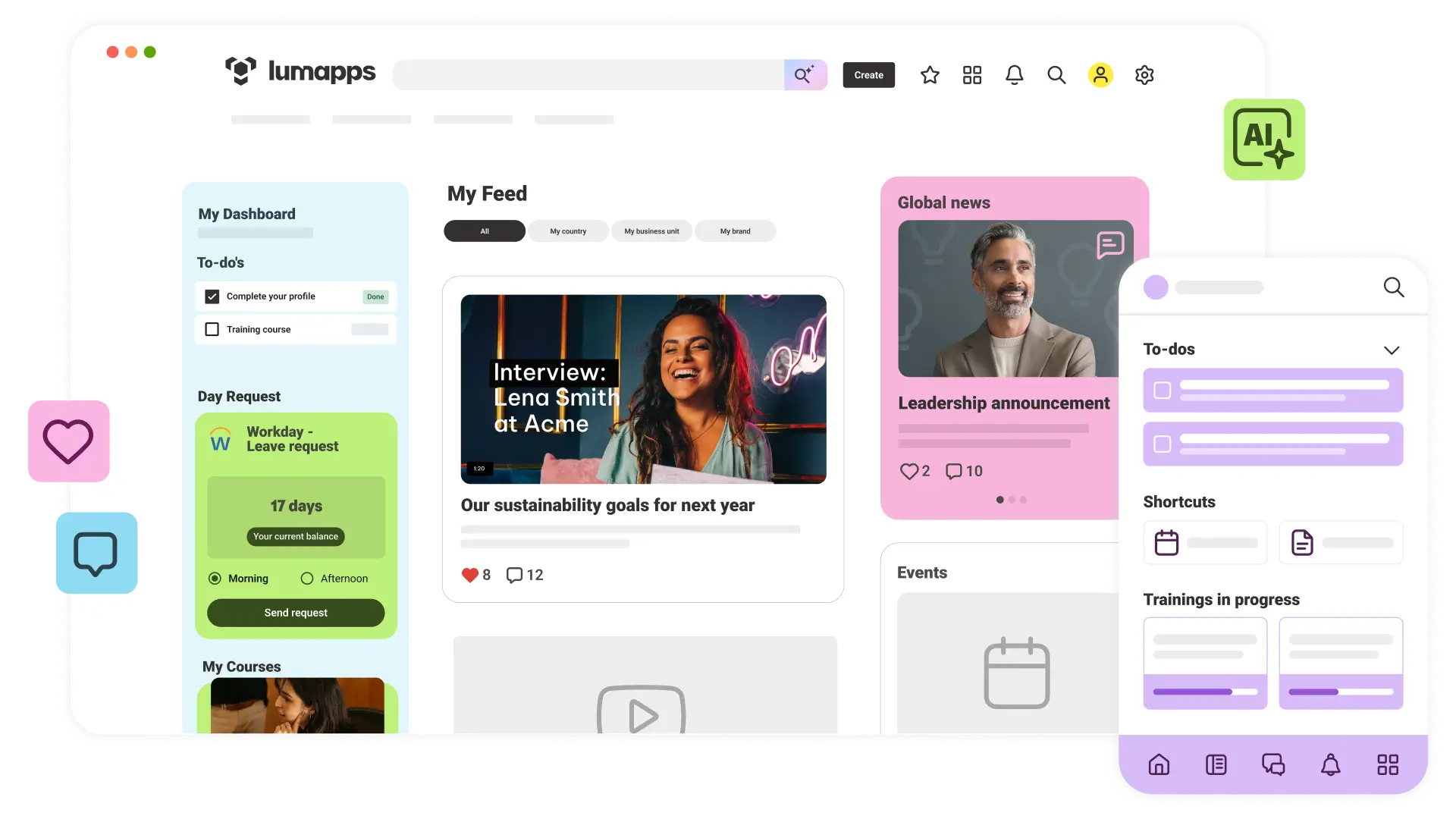
LumApps holds a Gartner MQ Leader position for three consecutive years. It is one of the few platforms with a credible native story in both Microsoft 365 and Google Workspace environments, offering genuine integration with both ecosystems rather than prioritizing one.
For organizations running on Google Workspace, LumApps is the natural first platform to evaluate. It offers native access to Gmail, Drive, and Google Meet alongside strong multimedia capabilities including native video hosting. For Microsoft 365 organizations, the integration is functional and well-maintained, though the architectural relationship is different from a platform built natively inside M365.
What works well
- Genuine native integration with both Google Workspace and Microsoft 365
- Strong multimedia experience including native video hosting and management
- Broad integration catalog via Micro-Apps for connecting business tools
- Strong position for multinational organizations needing a consistent experience across mixed technology environments
Where it gets complicated
- LumApps is the strongest dual-ecosystem option in this guide, but “works with both” is not the same as “built natively for both.” Microsoft 365 organizations will get functional integration, but the architectural depth and user experience consistency that a native M365 platform provides is a different proposition
- Gartner Peer Insights reviews flag implementation complexity and time-to-value as recurring friction points, particularly for organizations without dedicated digital workplace resources managing the rollout
- The Micro-Apps integration catalog adds meaningful flexibility, but organizations relying heavily on it for core workflows are adding a dependency layer that requires maintenance as both LumApps and the connected tools evolve
Best for: Large multinational organizations running on Google Workspace, or those managing employees across both Google and Microsoft environments.
Pricing: Custom quote. Generally positions in the premium enterprise range.
6. Staffbase
ISO 27001, SOC 2 | G2: 4.6/5
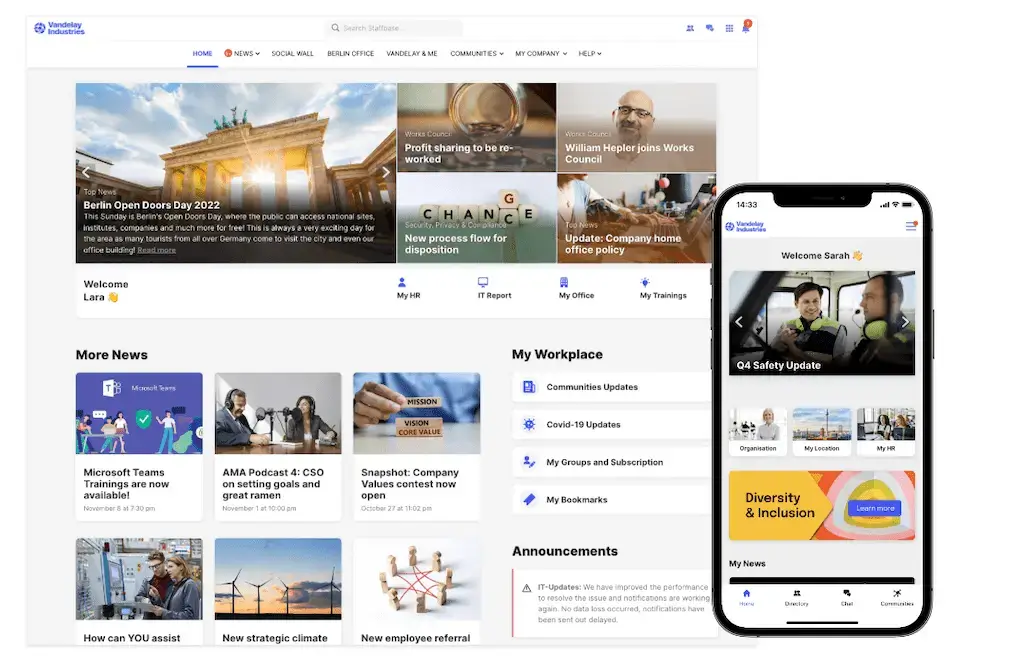
Staffbase is focused squarely on internal communications at scale, particularly for organizations with large frontline or deskless workforces in logistics, retail, healthcare, manufacturing, and hospitality. It combines an intranet, branded employee email, and mobile app into a single platform, with multi-channel publishing across intranet, email, digital signage, and SMS from one editorial interface.
Where Staffbase stands apart is in its reach model. The platform is built for scenarios where significant portions of the workforce do not have corporate email addresses or spend their days at a computer. Content can be pushed to employees through a white-label mobile app deployed under your organization’s own brand. The platform is ISO 27001 certified and hosted on Azure, supporting enterprise SSO and compliance frameworks.
What works well
- Mobile-first design built for workers without desk access, including a white-label app under your organization’s brand
- Multi-channel publishing: intranet, email, digital signage, SMS, and mobile app from one system
- ISO 27001 certified, hosted on Azure with enterprise SSO and GDPR compliance
- AI-assisted content creation and audio digest features purpose-built for communications teams
Where it gets complicated
- Staffbase is built around communications publishing and reach, not knowledge management or self-service. Organizations that need a robust searchable knowledge base, structured document library, or HR request management alongside their communications platform will likely need to integrate additional tools
- The white-label mobile app deployment adds setup overhead that desk-based organizations do not need. For workforces that are primarily office-based, this capability represents cost and complexity without proportionate return
- Organizations already invested in Microsoft Viva Communications or SharePoint News may find meaningful feature overlap with Staffbase’s core publishing capabilities, making the incremental value case harder to close internally
Best for: Large organizations with significant frontline or deskless workforces that need a mobile-first internal communications platform with genuine multi-channel reach.
Pricing: Custom quote.
7. Interact
IDC MarketScape: Integrated Employee Workspaces Leader 2025 | G2: 4.5/5
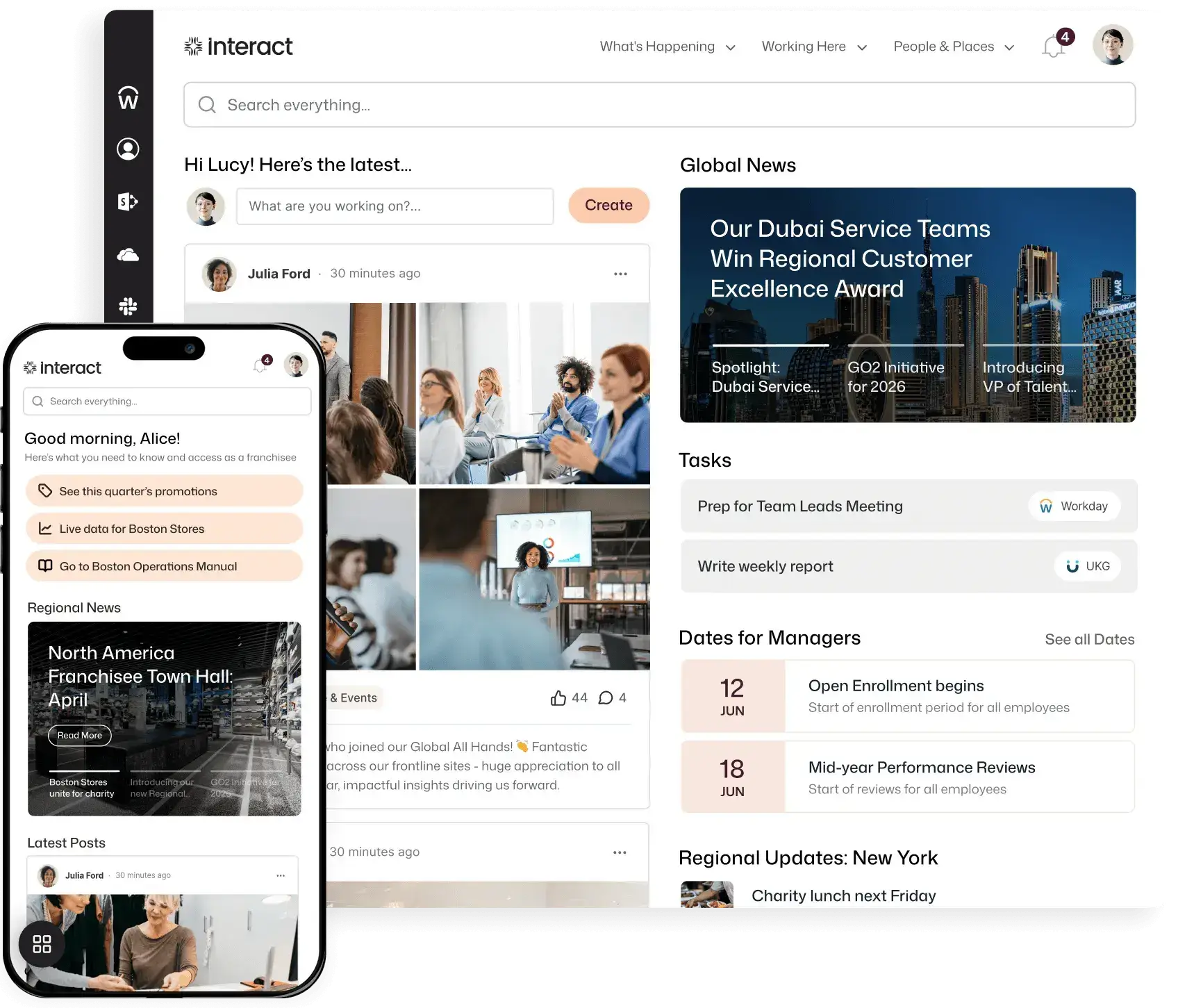
Interact was named a Leader in the IDC MarketScape for Integrated Employee Workspaces 2025. On Gartner Peer Insights, it holds a 4.4 rating across 73 verified reviews, with particular strength noted in content authoring and search.
The platform has a long track record in mid-to-large enterprise environments and is particularly well regarded for structured knowledge management. Its analytics and employee insight capabilities are stronger than what many organizations find in SharePoint out of the box, and it deploys as a standalone cloud platform without requiring Microsoft infrastructure.
What works well
- Strong content authoring tools and search capabilities
- Strong analytics and employee insight capabilities
- Reliable track record across a range of enterprise industries
Where it gets complicated
- Interact has a strong track record but a less prominent analyst profile than some competitors. Organizations that use analyst recognition as a primary filter in their procurement process may need to do more internal advocacy to justify the selection over better-known alternatives
- As a standalone cloud platform, Interact requires its own identity and access management configuration rather than inheriting it from an existing Microsoft or Google environment. For organizations already running sophisticated M365 governance, this adds integration work rather than reducing it
- AI feature development has been slower than some competitors. The platform’s core capabilities are reliable and proven, but organizations where AI-powered search or automated content recommendations are a primary evaluation criterion may find Interact lags the field
Best for: Mid-to-large organizations looking for a proven, standalone intranet platform with strong communications and knowledge management features.
Pricing: Custom quote.
8. Omnia
ClearBox Intranet Report 2026 | G2: not rated
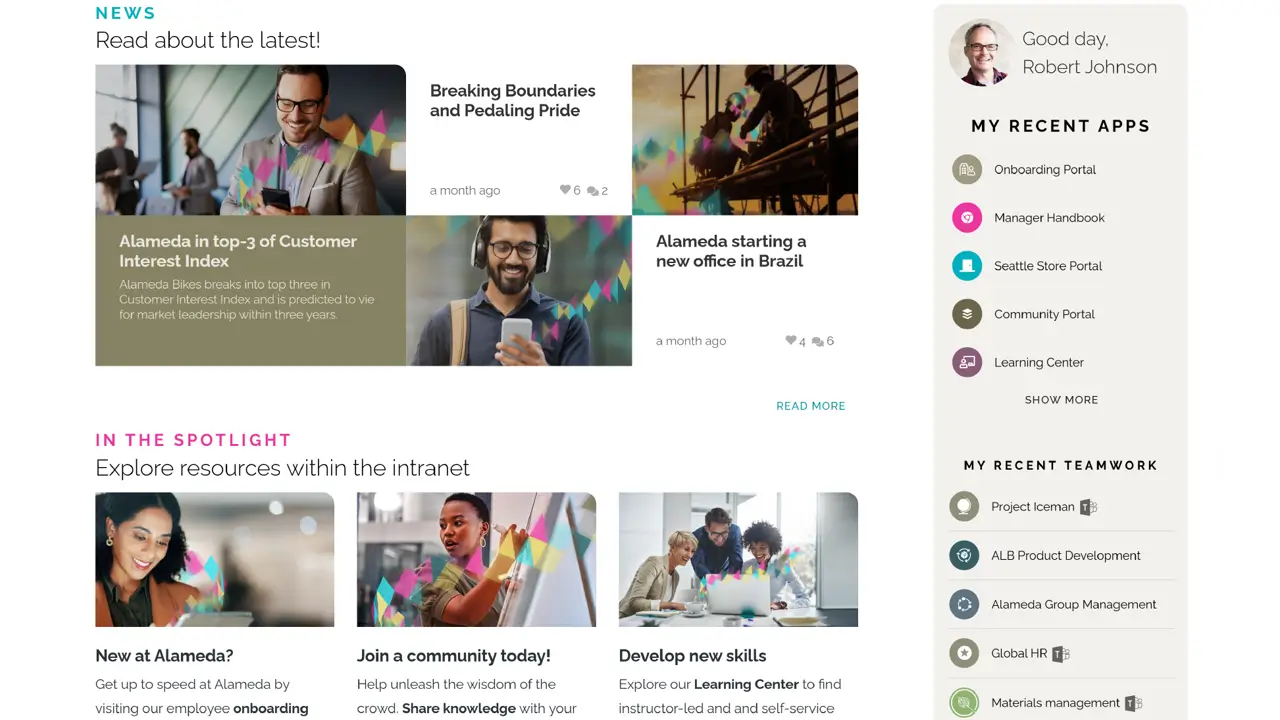
Omnia is reviewed in depth in the 2026 ClearBox report. An independent third-party analysis published by Omnia itself (based on ClearBox data) notes Omnia scores 4.5 out of 5 in both knowledge and content management and information finding and search, two of the areas where most platforms score lowest across the market.
The platform offers wide functional coverage across intranet, employee lifecycle management, and communications, and integrates with Microsoft 365. It is most commonly selected by organizations managing complex environments with multiple brands, geographies, or languages that need comprehensive lifecycle management (onboarding, offboarding, learning paths) alongside their intranet.
What works well
- Strong knowledge and content management, and search capabilities
- Comprehensive employee lifecycle features: onboarding, offboarding, learning paths
- Strong content targeting using Entra ID properties
Where it gets complicated
- Omnia’s breadth of functionality is a genuine strength, but it also means more configuration decisions up front. Organizations without dedicated IT or digital workplace resources to manage implementation often find the surface area larger than expected for their actual use case
- End-user experience design has historically been an area where Omnia received more mixed feedback than its content management scores suggest. Strong back-end capabilities do not automatically translate into intuitive front-end navigation for general employees
- Omnia is primarily a European vendor with a growing international footprint. North American organizations should verify partner coverage and support availability in their time zones before committing
Best for: Organizations managing complex, multi-country or multi-brand environments that need comprehensive lifecycle management under one platform.
Pricing: Custom quote.
9. Involv
ClearBox Intranet and Employee Experience Platforms Report 2026 | G2: not rated
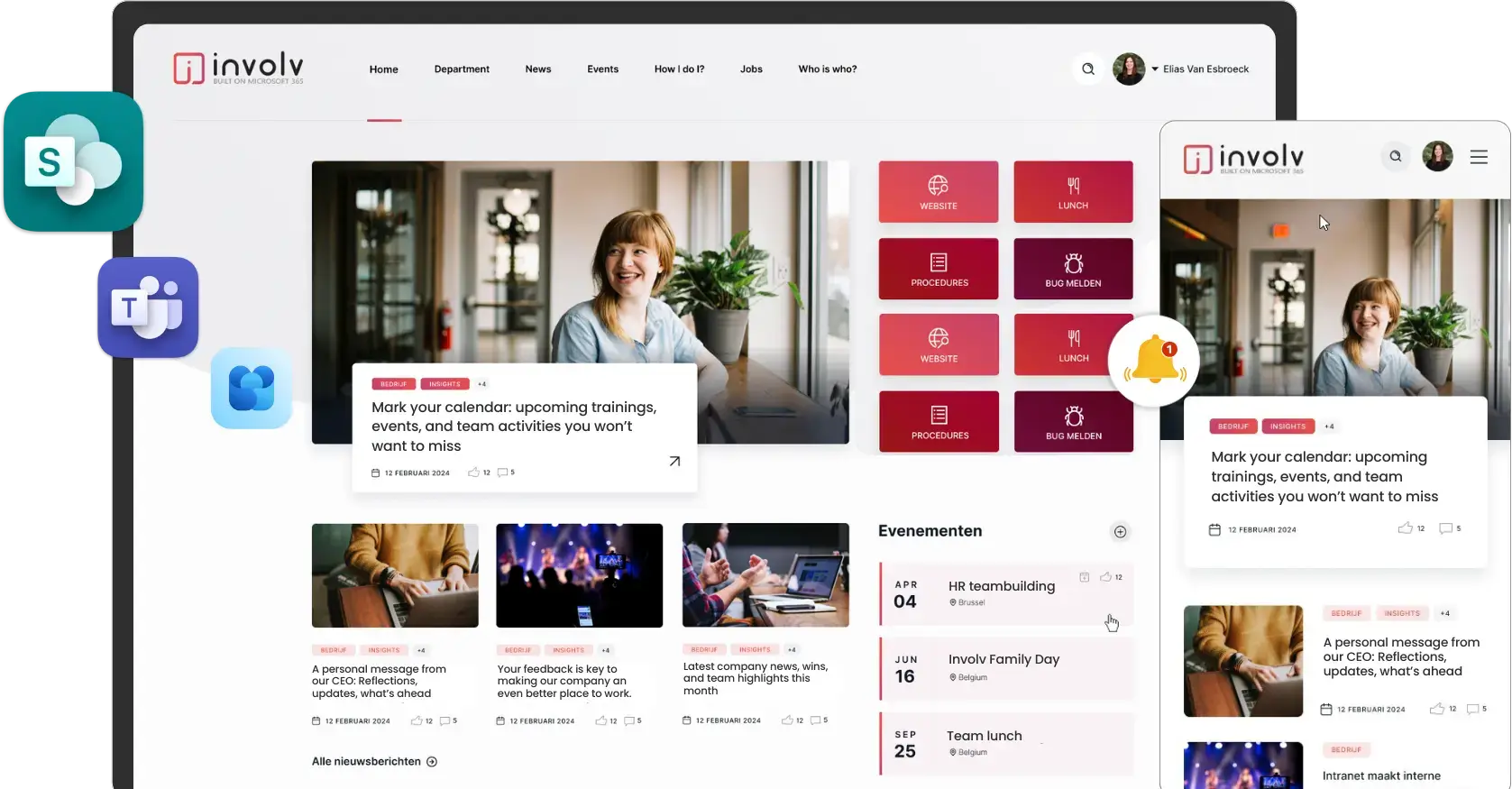
Involv is a SharePoint-based intranet built by Cognit BV and reviewed in depth in the 2026 ClearBox report. ClearBox scores Involv 4 out of 5 on Employee Experience, outperforming several more expensive platforms on that specific dimension. Customer feedback in the report is consistently warm: reviewers describe Cognit as honest, transparent, and genuinely customer-oriented, with fast response times and a willingness to build solutions around specific client needs.
For mid-market organizations on Microsoft 365 with focused requirements and limited budget for complexity, Involv offers a practical, well-supported path to improving on the native SharePoint experience without taking on a large implementation project.
What works well
- Strong employee experience design for a SharePoint-based platform
- Competitive value for mid-market M365 organizations
- Strong customer satisfaction with the Cognit team, described as transparent and genuinely customer-oriented
- Accessible implementation without requiring heavy technical resources
Where it gets complicated
- Involv is a smaller vendor by market footprint, and that has practical implications: a narrower partner ecosystem, fewer publicly available customer references at enterprise scale, and less visibility in analyst reports than the platforms above it in this guide
- Feature depth in areas like AI, advanced analytics, and employee lifecycle management is more limited than enterprise-tier competitors. For organizations whose requirements expand over time, the platform may require a migration conversation sooner than expected
- Organizations with frontline or deskless worker populations will find Involv’s mobile capabilities less developed than purpose-built alternatives like Staffbase or Workvivo
Best for: Mid-market organizations on Microsoft 365 that want a practical, well-supported SharePoint improvement layer without significant complexity or budget.
Pricing: Custom quote.
10. SharePoint Online (native)
Included in Microsoft 365 licensing | G2: 4.0/5
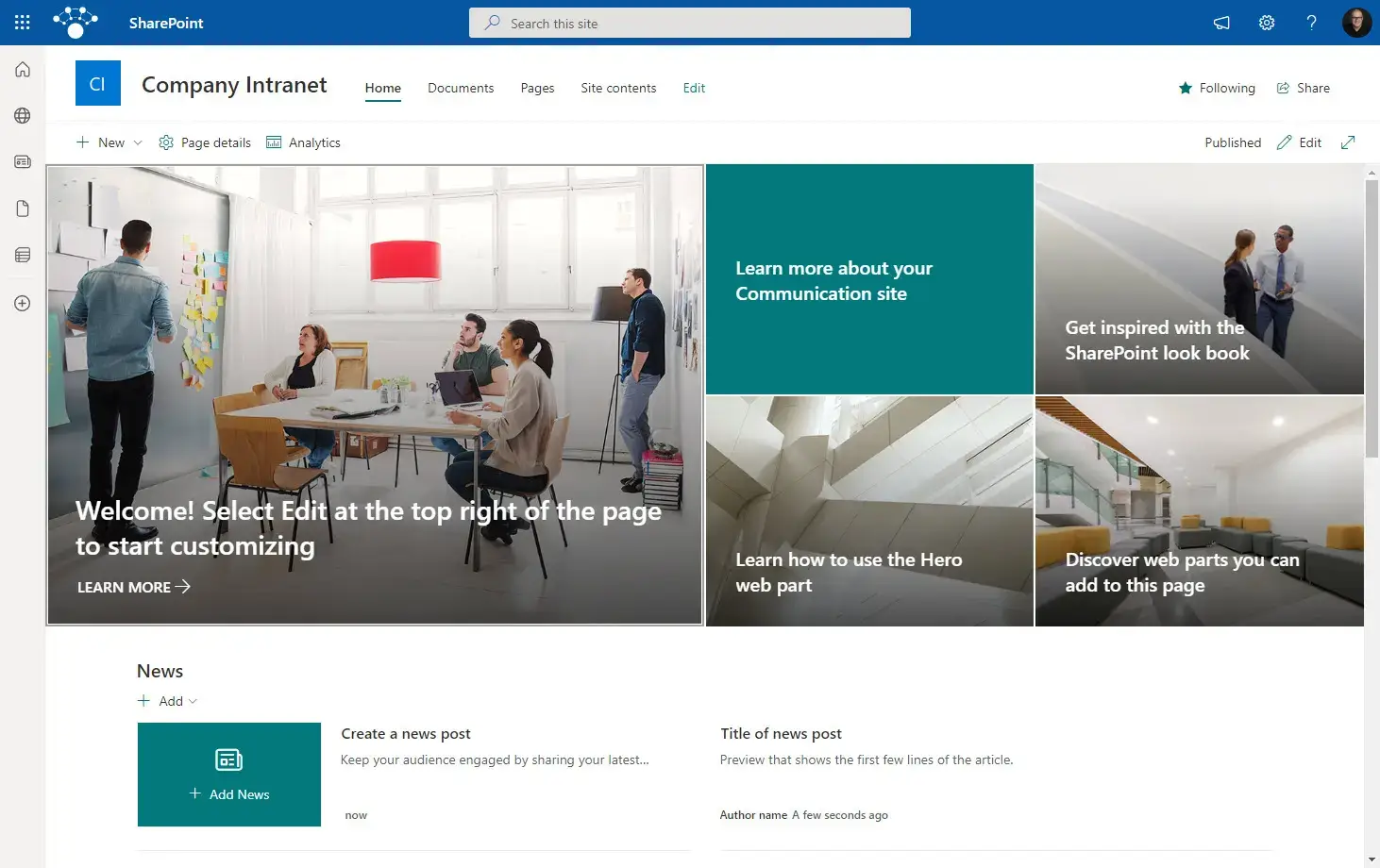
SharePoint Online is the foundational layer on which several platforms in this guide, including Powell, Involv, and Omnia, are built. On its own, it handles document management, communication pages, team sites, and integration with Teams and OneDrive.
The well-documented limitation of native SharePoint is adoption. Its interface requires meaningful configuration to work well for general employees, and that configuration requires either experienced SPFx developers or the addition of a purpose-built overlay. Research consistently shows that a significant portion of employees in organizations using SharePoint avoid it or use it reluctantly. For organizations with capable IT teams and genuinely simple intranet requirements, it is a functional starting point. For anything requiring engagement, governance, or measurable adoption outcomes, the cost of building the experience layer typically exceeds the cost of a purpose-built solution on top.
What works well
- Included in Microsoft 365 licensing at no additional cost
- Native integration with Teams, OneDrive, Viva Connections, and Power Platform
- Deeply familiar to IT teams already managing a Microsoft environment
Where it gets complicated
- Adoption is the defining problem. Research consistently shows that a large proportion of employees in organizations running native SharePoint avoid it, navigate it reluctantly, or never find it useful enough to return to. “It is already in our license” is not the same as “it is already working”
- Building a useful employee experience on top of native SharePoint requires significant developer involvement, ongoing maintenance, and governance decisions that are harder to sustain without dedicated resources. The license cost is zero; the total cost of ownership is not
- Without a purpose-built layer, SharePoint offers no meaningful employee engagement features, no structured recognition or onboarding workflows, and limited search quality for non-technical users. If any of those are on your requirements list, you are not actually evaluating SharePoint as an intranet solution
Best for: Organizations with experienced IT teams and straightforward intranet needs. For anything more ambitious, a purpose-built layer delivers measurably better outcomes.
Pricing: Included in Microsoft 365 Business and Enterprise licenses.
How to choose: five questions that cut through the noise
Analyst rankings are a useful starting point, not a final answer. The right intranet depends on your specific situation. Here are the five questions that do the most work.
1. What is your technology ecosystem?
This question matters more than most evaluations give it credit for. If your organization runs on Microsoft 365, a platform built natively inside that environment gives you data residency, identity continuity, and a lower adoption barrier from day one. If you are on Google Workspace, the same logic applies to LumApps. If your environment is mixed or undecided, LumApps, Simpplr, Unily, and Workvivo give you platform independence.
2. Who are you trying to reach?
A 10,000-person organization where most employees work on a warehouse floor has different requirements than a 2,000-person professional services firm. Staffbase and Workvivo are purpose-built for frontline reach. Powell, Simpplr, and Unily are strongest for knowledge-worker environments. The distinction matters when you are setting success metrics and deciding what good adoption looks like.
3. What problem are you actually solving?
Be specific before you go into any demo. Reaching frontline workers who do not have corporate email is a fundamentally different problem than governing a content estate of 1,000 SharePoint sites. The platform that leads on communications scale is not the same platform that leads on structured knowledge management and governance. Most organizations need both, which is why architectural fit matters more than any individual feature.
4. Where does your data need to live?
For organizations in financial services, healthcare, pharmaceuticals, or the public sector, data residency is often a procurement requirement rather than a preference. Powell and Involv store all data within your Microsoft 365 tenant. Platforms like LumApps, Simpplr, Unily, and Staffbase host data in their own cloud infrastructure, typically with SOC 2 Type II, ISO 27001, and GDPR-compliant configurations available. Raise this explicitly in any RFP process.
5. How do you define a successful implementation?
Most intranet projects fail not because the platform was wrong but because success was never defined clearly before launch. Adoption rate, content freshness, search success rate, and employee satisfaction score are all measurable and worth agreeing on before you sign anything. The platforms with the strongest out-of-the-box analytics (Simpplr, Staffbase, Powell, Unily) make this easier. The ones that require additional configuration to get useful data add another variable to manage.
Conclusion
The intranet market in 2026 does not have a single right answer. It has several genuinely good options, each built around a different philosophy and a different primary strength.
Simpplr is the most consistently recognized platform across independent analyst evaluations. Workvivo has the highest verified customer satisfaction scores in the category. Unily leads for enterprise brand experience and complex publishing. LumApps serves Google Workspace organizations better than anything else here. Staffbase is the best option for reaching large frontline workforces across multiple channels.
For organizations already on Microsoft 365, the case for a natively built solution is strong and the reasoning is practical rather than theoretical. Extending what employees already use lowers adoption friction. Keeping data in your existing tenant simplifies compliance. Building on your current infrastructure lowers total cost of ownership. That is the argument for Powell, and it holds up across organization types and industries.
If you are ready to see what Powell looks like in your environment, the team is available for a demo with no strings attached.
Frequently asked questions
What is the difference between an intranet and Microsoft Teams?
Teams is a real-time collaboration tool: conversations, meetings, file sharing within and across teams. An intranet is a structured information environment: persistent, searchable, governed, and designed for the whole organization rather than for individual teams. They serve different purposes and work best together. Employees use Teams to coordinate on a project and the intranet to find a policy, locate a colleague, or understand a company-wide update. The best intranet solutions integrate with Teams rather than competing with it.
Does my organization need an intranet if we already use SharePoint?
Possibly not, if your SharePoint environment is well governed, actively maintained, and genuinely used by employees. In practice, SharePoint’s out-of-the-box experience has a consistent adoption problem. If your employees avoid it, search it reluctantly, or find the navigation confusing, the productivity cost is real and compounds across every team. Platforms like Powell and Involv are specifically designed to solve that problem from within your existing Microsoft investment, not by replacing it.
How long does an intranet implementation take?
It varies by platform and scope. SaaS platforms built on Microsoft 365, including Powell, can typically reach go-live in four to eight weeks using pre-built templates and certified partner support. More configurable platforms generally take longer because the design and governance decisions require more setup time. The most common source of delay is not the technology. It is scope definition and content governance decisions that need to be made before the build begins.
What should regulated industries look for specifically?
Three things above all: where data is stored, what security certifications apply, and whether the platform’s access control and audit capabilities map to your compliance framework. For US-regulated industries, SOC 2 Type II and HIPAA-readiness for healthcare are standard requirements, and because Powell is built natively on Microsoft 365, it inherits those certifications directly from Microsoft’s environment rather than needing a separate compliance stack of its own. Powell’s own ISO 27001 certification and full Microsoft 365 data residency have made it a recurring choice across financial services, healthcare, manufacturing, and the public sector.
What does an intranet actually cost?
Most enterprise platforms are priced on a per-user, per-month basis with custom quotes. SharePoint Online is included in Microsoft 365 licensing but typically requires additional investment to deliver a usable employee experience. Mid-market overlay solutions like Involv sit in a lower cost tier than enterprise platforms like Powell, LumApps, Simpplr, Unily, and Staffbase, which are broadly comparable on a per-user basis with variation based on volume and contract length.

Nadim Faour
Junior Field Marketing Manager