What does AI-readiness actually mean?
AI-readiness sounds great in a meeting. It looks good on a roadmap. But in real life, it is not about switching on a tool and hoping for the best. It is about making sure your digital workplace is clean, governed, secure, and trusted enough for AI to actually be useful.
Clear ownership
Safer permissions
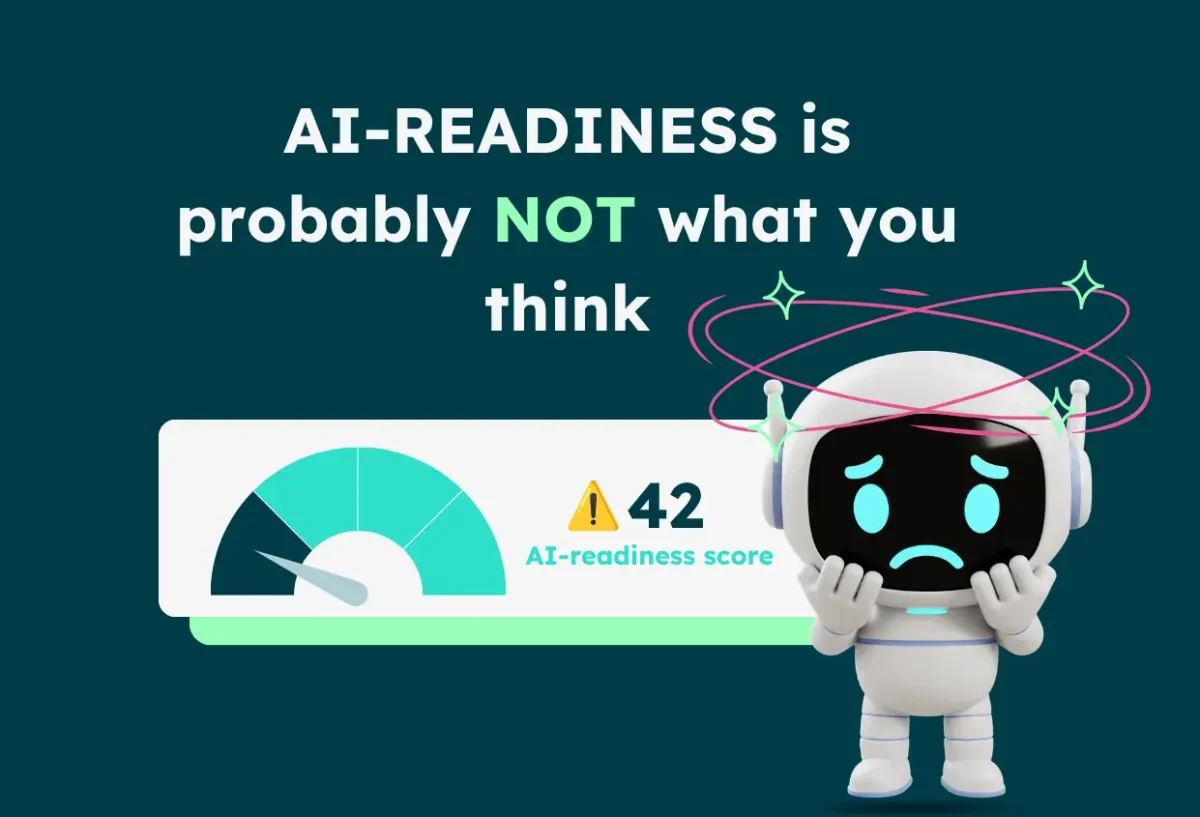
AI-readiness check
Needs review
Monitor
Review stale content, inactive workspaces, and overshared documents before AI starts surfacing them.
Beyond the buzzword
AI-readiness is not just having AI.
For many organizations, AI-readiness is treated as a technical milestone: buy the license, activate the tool, launch the chatbot, tell everyone the future has arrived. Lovely. Except AI does not become useful just because it has been switched on.
AI is only as reliable as the workplace behind it. If your Microsoft 365 environment is full of outdated documents, duplicated files, overshared content, abandoned Teams, and SharePoint sites no one has owned since 2021, AI will not magically clean that up.
AI does not fix workplace chaos. It finds it faster.
Sometimes with confidence. Which is, somehow, worse.
Let’s clear that up
What AI-readiness is not.
Not just a license
Rolling out Microsoft 365 Copilot or any AI assistant does not automatically make your workplace ready for AI.
Not another chatbot
Adding an assistant on top of messy information only gives employees a faster way to find the wrong thing.
Not a launch moment
AI-readiness is not a one-time announcement. It is an ongoing way to manage content, ownership, security, and trust.
Governance becomes urgent
Before AI, messy content was annoying. With AI, it becomes amplified.
Governance has never been the most glamorous part of the digital workplace. No one throws a party because inactive workspaces were cleaned up. But with AI, governance becomes impossible to ignore.
Without AI-readiness
❌ Outdated files become outdated answers.
❌ Overshared documents create exposure risks.
❌ Duplicate policies confuse employees at scale.
❌ Inactive workspaces keep feeding the system.
❌ AI amplifies the mess.
With AI-readiness
✅ Risks are easier to identify.
✅ Content quality becomes visible.
✅ Ownership is clearer.
✅ Permissions are better controlled.
✅AI has a stronger source of truth.
What it looks like in real life
AI-readiness is practical. Not mystical.
AI-readiness is not one big abstract project. It is a set of practical checks, signals, and actions that help organizations understand whether their Microsoft 365 environment is ready for AI.
Powell’s approach helps organizations assess and improve the environment AI depends on, from users and documents to SharePoint, Teams, OneDrive, permissions, workspaces, and governance risks.
Powell Governance
A clearer view of your AI-readiness.
Instead of jumping between disconnected reports, admins can focus on what needs attention and move from visibility to action.
Teams
OneDrive
Documents
The five essentials
A strong AI-ready foundation includes five things.
1. Clean and reliable content
AI needs trustworthy information to work with. Outdated documents should be archived or updated. Duplicate content should be reduced. Important resources should have clear owners.
2. Clear ownership
Every page, workspace, file library, and knowledge area should have someone responsible for it. Without ownership, content ages quietly.
3. Controlled permissions
AI can only respect the access rules it is given. If permissions are too broad, AI can surface information in ways that create risk.
4. Active governance
A one-time cleanup is useful for about five minutes. AI-readiness needs continuous governance, not occasional spring cleaning.
5. Agent governance
AI agents can do more than answer questions. They can trigger workflows, interact with systems, and take action. That needs governance too.
The next layer
When AI starts doing things, governance needs to follow.
AI is no longer just about answering questions. Agents can trigger workflows, interact with business tools, and take action. That means governance has to go beyond content and include the logic behind the agent.
Not just an IT topic
AI-readiness protects the employee experience too.
The conversation around AI-readiness often focuses on risk, security, and governance. That makes sense. IT teams need control. Organizations need confidence. Sensitive information needs protection.
But AI-readiness is also about the employee experience. When AI is built on poor information, employees lose trust quickly. They ask a question, get a vague or incorrect answer, and go right back to asking a colleague.
Find faster
Employees get to the right information without searching through the digital attic.
Trust more
Answers are based on cleaner, governed, and more reliable workplace knowledge.
Act sooner
AI helps people move from question to action, instead of adding another layer of confusion.
Final thought
AI-readiness means your digital workplace is ready to be trusted by AI.
Your content is cleaner. Your permissions are safer. Your workspaces are governed. Your ownership is clearer. Your risks are visible. Your teams can act on what needs fixing.
It means you are not just launching AI and hoping for the best. You are giving it a workplace worth learning from.
Ready to make your workplace AI-ready?
Powell helps organizations clean, govern, and structure their Microsoft 365 environment so AI can deliver answers employees can actually trust.

Trinity Resting
Product Marketing Manager
Product marketing doesn’t have to be all jargon and slides—Trinity’s here to prove it’s about creating human connections. With 5 years in digital marketing, she’s been scaling, building, and transforming product strategies that resonate with real people. At Powell, Trinity ensures the message isn’t just heard, but felt. She’s passionate about helping teams go beyond the office and build lasting relationships. When she’s not crafting strategies, you’ll find her sipping tea (she’s a self-proclaimed tea-aholic) or working as a professional dog sitter—because, let’s be honest, dogs are the ultimate team players.