
TL;DR – What you’ll learn
- Faster employee onboarding and reduced knowledge loss during turnover
- Better decision-making, stronger collaboration, and higher productivity
- Lower operational costs, stronger innovation, and consistent service delivery
- Compliance readiness and scalable organizational learning
- For mid-to-large organizations on Microsoft 365, a dedicated knowledge management software like Powell Intranet centralizes all of this in one place.
What is knowledge management and why do its benefits matter now?
Knowledge management is the process of capturing, organizing, and distributing organizational knowledge, from documented SOPs (explicit knowledge) to the kind of contextual judgment that only comes from three years in a role (tacit knowledge). One sentence is all that distinction deserves here; the full explainer lives elsewhere.
What’s changed in 2026 is the urgency. AI Overviews are rewriting search. Hybrid and remote work has dissolved the informal hallway conversation as a knowledge transfer mechanism. And employee turnover, while stabilizing, has left a generation of organizations with institutional memory gaps they are still papering over. APQC data consistently shows that the majority of organizations are still at the starting or developing stage of KM maturity, meaning most have yet to realize the full return on the knowledge they already have.
Here are the 10 benefits organizations achieve when they get it right.
Benefit 1: faster employee onboarding
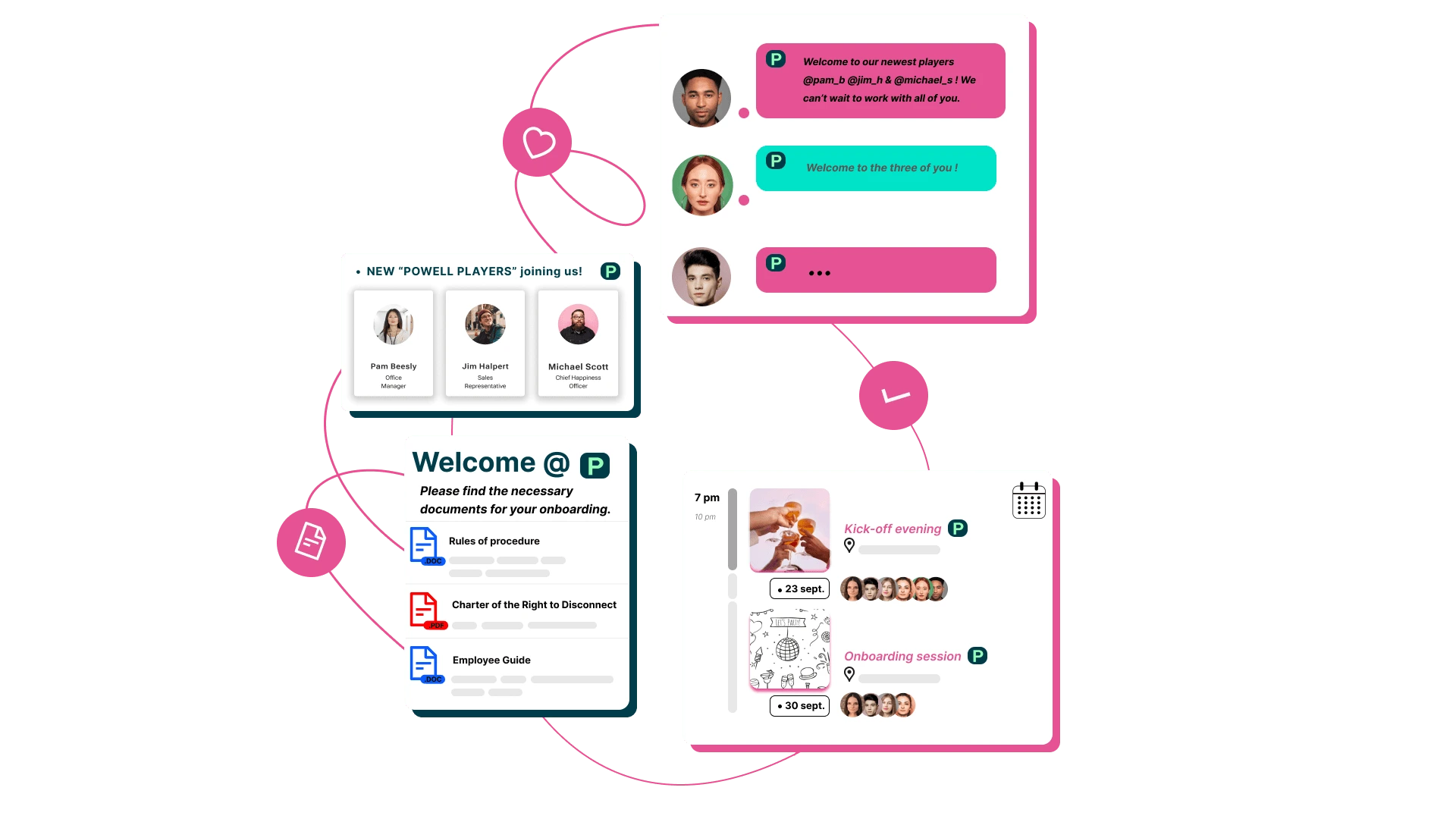
Nobody enjoys being the new person who asks the same question six times. And nobody enjoys being the senior colleague who answers it. A well-structured KM system removes both from the equation.
When onboarding content (guides, checklists, decision trees, embedded SOPs) is accessible from day one, new hires can answer their own questions without interrupting the people they’re supposed to be learning from. In IT teams specifically, documented troubleshooting steps mean a new technician isn’t dependent on informal coaching from whoever happens to be in the office that day.
IBM reports that organizations with strong KM practices see measurably faster onboarding and higher employee satisfaction and retention, which makes intuitive sense: people who can find what they need feel competent faster, and feeling competent faster makes them want to stay.
The practical result of managing knowledge management well at the onboarding stage is a meaningful reduction in time-to-productivity. Endress + Hauser, for example, achieved a 30% decrease in onboarding time after implementing Powell Intranet, a number that compounds quickly in organizations hiring at scale.
Benefit 2: reduced knowledge loss during turnover
When a key employee leaves, two things should happen: a farewell card, and a structured knowledge transfer. In most organizations, only one of them does.
The real cost of unmanaged turnover is not the recruitment fee. It’s the undocumented decision rationale, the known workarounds, the system dependencies that exist only in someone’s head. When that person walks out the door, the organization doesn’t just lose a headcount; it loses operational continuity.
A KM system makes knowledge survivable. Exit processes that include a structured transfer step (documented prompts, recorded walkthroughs, catalogued configuration notes) mean the organization retains what the individual knew, not just what they were willing to write down unprompted. For IT teams in particular, undocumented configurations and environment-specific workarounds are a chronic risk. What is knowledge management if not, in part, organizational insurance?
The organizations that handle this well don’t treat knowledge transfer as a leaving formality. They treat it as a business-continuity process with the same rigour as a backup protocol.
Benefit 3: improved decision-making
Bad decisions are rarely made by unintelligent people. They’re usually made by people who didn’t have the right information at the right moment. That is a process failure, not a talent failure.
KM gives decision-makers access to organizational precedents, past analyses, and validated data in one place, which means faster decisions with fewer blind spots. The cost of the alternative is easy to underestimate: delayed projects, duplicated work, strategic misalignment, and the quiet erosion of organizational confidence that comes from making the same avoidable mistakes twice.
A KM-enabled environment removes the bottleneck between knowing and deciding. When a department head can surface what the organization already knows about a problem (what was tried, what worked, what failed and why); the quality of strategic planning improves materially. Speed and accuracy, together. That is the decision-making case for KM, and it does not require a sophisticated argument.

Benefit 4: enhanced collaboration and knowledge sharing
The default failure mode of any organization left to its own devices is silos. Marketing doesn’t know what support knows. Sales doesn’t know what product knows. Everyone reinvents wheels and duplicates efforts, then wonders why cross-functional projects take so long.
A shared knowledge base creates alignment by making organizational intelligence a shared resource rather than a departmental asset. Marketing can access historical campaign data. Sales can draw on support team learnings. Product teams can see what customers have actually said, rather than what someone remembers them saying at a meeting six months ago. According to a Deloitte study, organizations with robust knowledge-sharing practices are 50% more likely to outperform their peers, which is the kind of statistic that tends to get a CFO’s attention.
For organizations on Microsoft 365, knowledge management tools that integrate natively with Teams and SharePoint mean knowledge sharing happens where work already happens, rather than requiring employees to adopt yet another platform.
The IT process angle
In IT departments specifically, a structured knowledge management process reduces ticket volume, accelerates incident resolution, and ensures every technician works from the same validated troubleshooting documentation, regardless of shift or seniority. Rather than relying on the most experienced engineer being available, IT teams can systematize their expertise and make it available on demand. The result is a service desk that performs consistently at scale, not one that performs well when the right person happens to be online.

Benefit 5: increased productivity
Employees waste a significant portion of their working day looking for information they can’t find. This is not a metaphor. According to McKinsey Global Institute research, knowledge workers spend approximately 1.8 hours per day searching for information, nearly a quarter of their working week. An effective KM system can reduce time lost to that search by up to 35% and boost organization-wide productivity by 20-25%.
per day spent searching for information (McKinsey)
reduction in search time with effective KM
productivity boost across the organization
The productivity loss is easy to underestimate because it’s diffuse. No one has a meeting called ‘looking for the document.’ The time bleeds into every task: a project that takes four hours instead of three, a response that goes out late because the right template couldn’t be found, a decision delayed because the relevant analysis was somewhere in someone’s OneDrive.
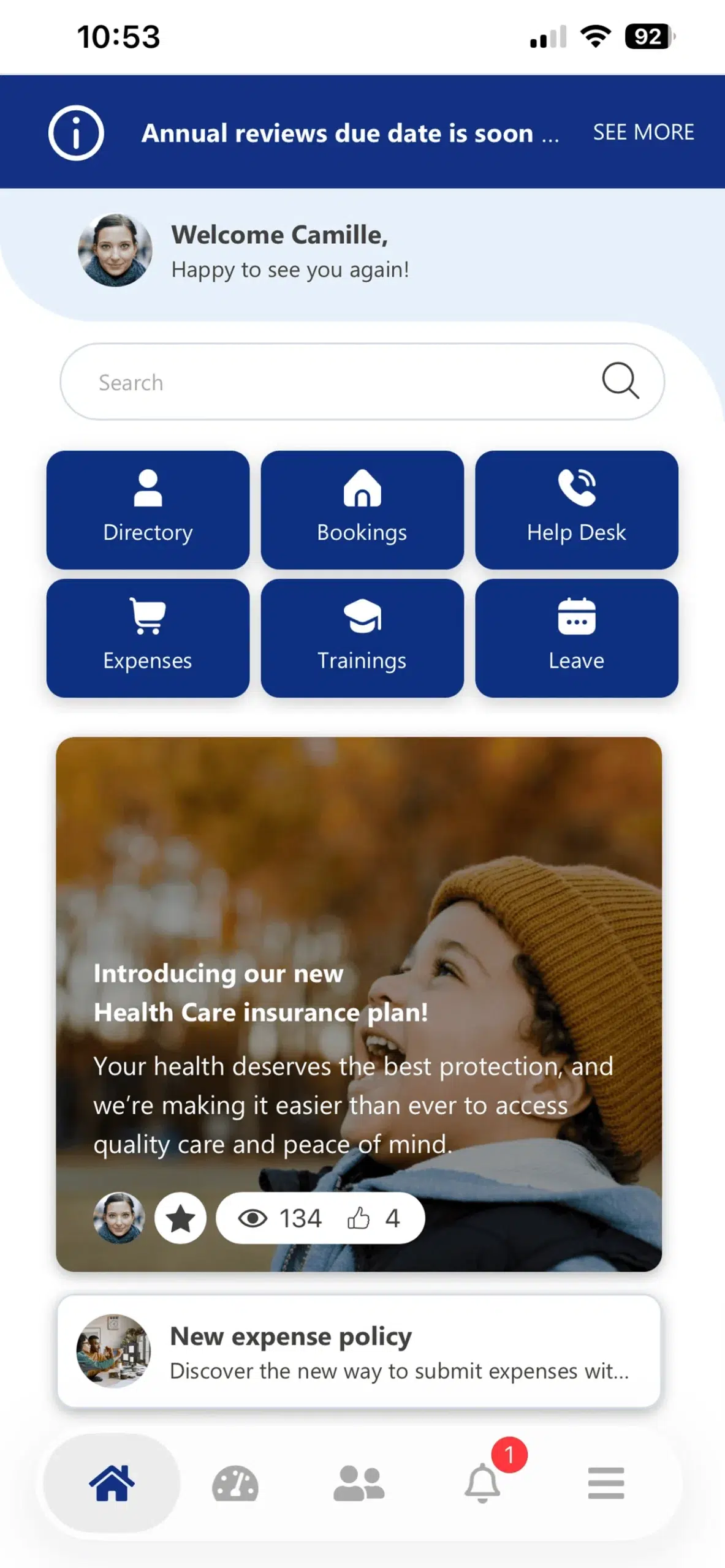
A centralized, searchable knowledge base removes that friction. For organizations on Microsoft 365, Powell Intranet surfaces knowledge directly within existing tools, so employees don’t need to leave their workflow to find what they need. The productivity gains are not hypothetical. They compound, quietly, every day.
Benefit 6: lower operational costs and strong ROI
The financial case for knowledge management is more concrete than it tends to get credit for.
Savings accumulate across several lines: fewer repeated questions to senior staff, reduced dependency on external training providers, lower support ticket load, and fewer errors from teams working with incomplete information. Industry benchmarks from McKinsey, Forrester, and Gartner suggest that well-implemented enterprise KM systems generate 200-400% ROI in the first year when the combined benefits are modelled.
first-year ROI for well-implemented KM systems
P&L return per dollar invested, Quest Diagnostics
The ROI extends beyond the P&L. Quest Diagnostics, a Powell Intranet customer, documented that ‘for every dollar we invested in Powell, we saw $12 in value returned on the P&L side. However, ROI extended far beyond what could be captured in direct P&L calculations. A major part of the platform’s value came from risk reduction, which is more difficult to quantify but just as critical.’
That framing matters. The financial return is real and measurable. The operational return (fewer critical errors, stronger continuity, reduced risk) often exceeds it.
Benefit 7: stronger innovation and creativity
Innovation rarely arrives as a thunderbolt. More often, it arrives when someone in product sees a customer insight that someone in support documented six months ago, and suddenly a new feature makes obvious sense. That is not genius. That is good knowledge management.
When teams can access and build on existing organizational knowledge, they innovate rather than reinvent. The pattern-recognition that drives incremental improvement (the kind that compounds into competitive advantage) requires visibility across what the organization already knows. A culture of knowledge sharing accelerates idea development not because it inspires people, but because it stops them from starting from zero every time.
A practical example: a product team that can access historical win/loss data, documented customer objections, and previous feature specifications will make better decisions than one that reconstructs that context from scratch at the start of every sprint. Access to what is knowledge management operationally, a living, accessible record of organizational intelligence, is the infrastructure that makes genuine innovation possible.
Benefit 8: more consistent service delivery
Ask five people in the same organization how to handle the same customer request, and you may get five different answers. This is not a hypothetical. It is Tuesday in most large organizations.
Inconsistency is the direct consequence of siloed, undocumented knowledge. When the answer to a question depends on which person happens to respond, the organization is not delivering service; it’s delivering variance. Customer frustration follows. So does internal confusion, conflicting guidance, and the slow erosion of trust in organizational processes.
Standardized knowledge articles create a single source of truth. The correct answer, the preferred tool, the right escalation path: all documented, versioned, and accessible. This applies equally to IT (consistent incident resolution), HR (consistent policy guidance), customer support (consistent product answers), and facilities (consistent process adherence). Consistency is not a soft benefit. It is the difference between a service function and a lottery.
Benefit 9: better compliance and audit readiness
In regulated industries, it is not enough to have a policy. You need to prove it was communicated, understood, and followed; and produce the documentation to show it, on demand, with a deadline.
This is a knowledge management problem before it is a compliance problem. The challenge is not writing policies; it is building the infrastructure that makes those policies traceable. Who reviewed a document? When? Who has access? Who has confirmed they’ve read it? A KM system designed for compliance provides a verifiable record: version history, access logs, review timestamps, and access-controlled content visible only to the roles that should see it.
For organizations in banking and finance, pharma and healthcare, or legal: industries where an audit trail is not optional; this is one of the most operationally significant benefits of knowledge management. Powell Governance is designed precisely for this use case: structured, controlled, auditable knowledge management that satisfies regulatory requirements without creating administrative overhead.
Benefit 10: scalable organizational learning
The traditional L&D model has a structural problem: it depends on individual experts being available to train, which means it does not scale. External providers are expensive and slow. Internal workshops require scheduling, facilitation, and repetition every time headcount grows.
KM breaks that dependency. When a subject matter expert documents their expertise once, in a knowledge article, a recorded walkthrough, or an annotated decision tree; that knowledge becomes a reusable asset available to every employee, asynchronously, at any scale. This is where the benefits of knowledge management software for companies are most visible: the cost per learner approaches zero as the organization grows, while the quality of knowledge remains consistent.
The compounding effect is significant. Every piece of captured knowledge becomes part of a growing organizational intelligence base. A company with 50 employees that builds good KM habits will not need to rebuild its knowledge infrastructure when it reaches 500. For organizations on Microsoft 365, knowledge management tools like Powell Intranet enable this kind of scalable learning without adding infrastructure complexity.
How to choose the right knowledge management software for your company
Understanding the benefits of knowledge management software for companies is one thing. Choosing and implementing the right platform is another. A practical three-step framework:
Step 1: audit your current knowledge gaps
Before evaluating software, take inventory of where knowledge actually lives today: shared drives, email chains, Teams channels, individual heads. Identify the biggest silos and the most painful gaps: the questions that get asked repeatedly, the processes that break when one person is away, the onboarding friction that slows every new hire. Use this audit to define requirements. Starting with software features and working backwards is how organizations end up with platforms nobody uses.
Step 2: choose the right software
For organizations on Microsoft 365, the key selection criteria for knowledge management software are:
- Microsoft 365 native integration: SharePoint and Teams compatibility, so knowledge lives where work happens
- Intelligent search across all content types, not just the files someone remembered to upload
- Governance and access control: sensitive content visible only to the right roles
- Usage analytics and content health metrics, so you know what’s being used, what’s stale, and what’s missing
- Ease of adoption for non-technical users, because a KM platform that only power users can navigate is not a KM platform
Step 3: build a knowledge-sharing culture
Technology is a necessary condition for effective KM. It is not sufficient. Governance policies, leadership buy-in, and employee incentives are required to sustain a knowledge-sharing culture over time. Recognition programs for knowledge contributors drive long-term adoption more reliably than any feature set. See how Powell Intranet supports knowledge management.
Frequently asked questions
Knowledge management helps organizations make the right information available to the right people at the right time, reducing time wasted searching, improving decision quality, accelerating onboarding, and retaining institutional knowledge through employee turnover. The benefits span productivity, cost, compliance, and culture.
KM software centralizes organizational knowledge in a searchable, governed, scalable platform. For companies, this translates to measurable productivity gains (McKinsey research points to up to 35% less time spent searching), reduced training costs, lower support overhead, and a consistent employee experience regardless of team size or location.
A structured KM process in IT reduces ticket volume, accelerates incident resolution, and ensures every technician works from validated documentation rather than informal coaching. It also addresses a chronic IT risk: undocumented configurations and workarounds that become liabilities when the person who knows them leaves.
ROI from KM comes from multiple sources: reduced time-to-productivity for new hires, lower external training spend, fewer repeated questions to senior staff, and reduced support ticket load. Industry benchmarks suggest 200-400% first-year ROI for well-implemented systems. Harder-to-quantify benefits (risk reduction, compliance readiness, knowledge retention) often exceed the measurable returns.
The most common challenges are cultural rather than technical: low adoption when employees don’t see the personal value of contributing, governance gaps that let knowledge bases become outdated, and lack of leadership buy-in. Technology solves the infrastructure problem. Culture and governance determine whether the investment pays off.
The benefits of knowledge management are not theoretical. They are measurable, they compound over time, and they are fully realized only when the right software, process, and culture operate together. For organizations running on Microsoft 365, Powell Intranet provides the infrastructure to make that happen, without asking employees to change how they work.
Ready to see these benefits in your organization? Book a demo of Powell Intranet.

Jordan Washington
Regional Marketing Manager