
AI can’t trust what isn’t governed. And you can’t govern what you can’t see.
Real-time visibility across every Team, site, and document in Microsoft 365, with your policies enforced automatically.
IT teams already back in control, on Powell.





This is what most Microsoft 365 environments look like today.
Shadow IT, orphaned Teams, uncontrolled external sharing – the mess your AI tools are already reading.
56% of Teams are inactive in a typical M365 enterprise.
42% of SharePoint sites have no owner.
Source: Powell customer benchmark data (20,000-employee M365 environment).
Make governance the launchpad, not the blocker
Nobody can say with confidence who owns a given Team, what data lives in it, or whether it should exist at all. Multiply that across thousands of workspaces and IT stops managing Microsoft 365 – it constantly scrambles to fix it. And now that AI reads everything in your tenant, that mess doesn’t just slow IT down. It gets surfaced back to the entire company.
Understand : Real-time dashboards, including a dedicated AI Readiness score, give IT one view across every Team, site, user, and document in M365, so problems are visible before they become risks.
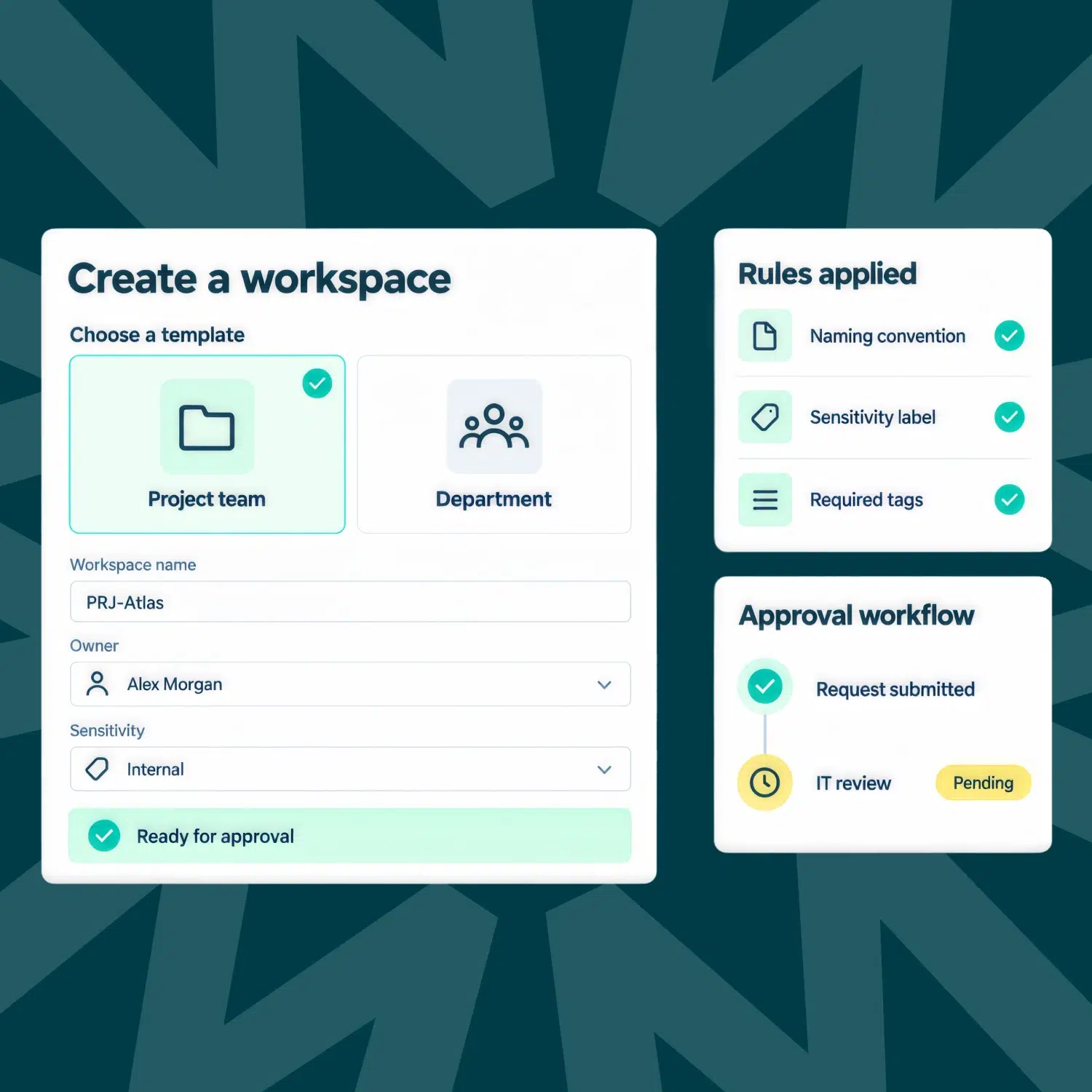
Manage : Naming conventions, sensitivity labels, and metadata get enforced automatically on every new workspace, from day one.
Control : Automated governance campaigns reach content owners directly. IT stays in control. Authors take responsibility.
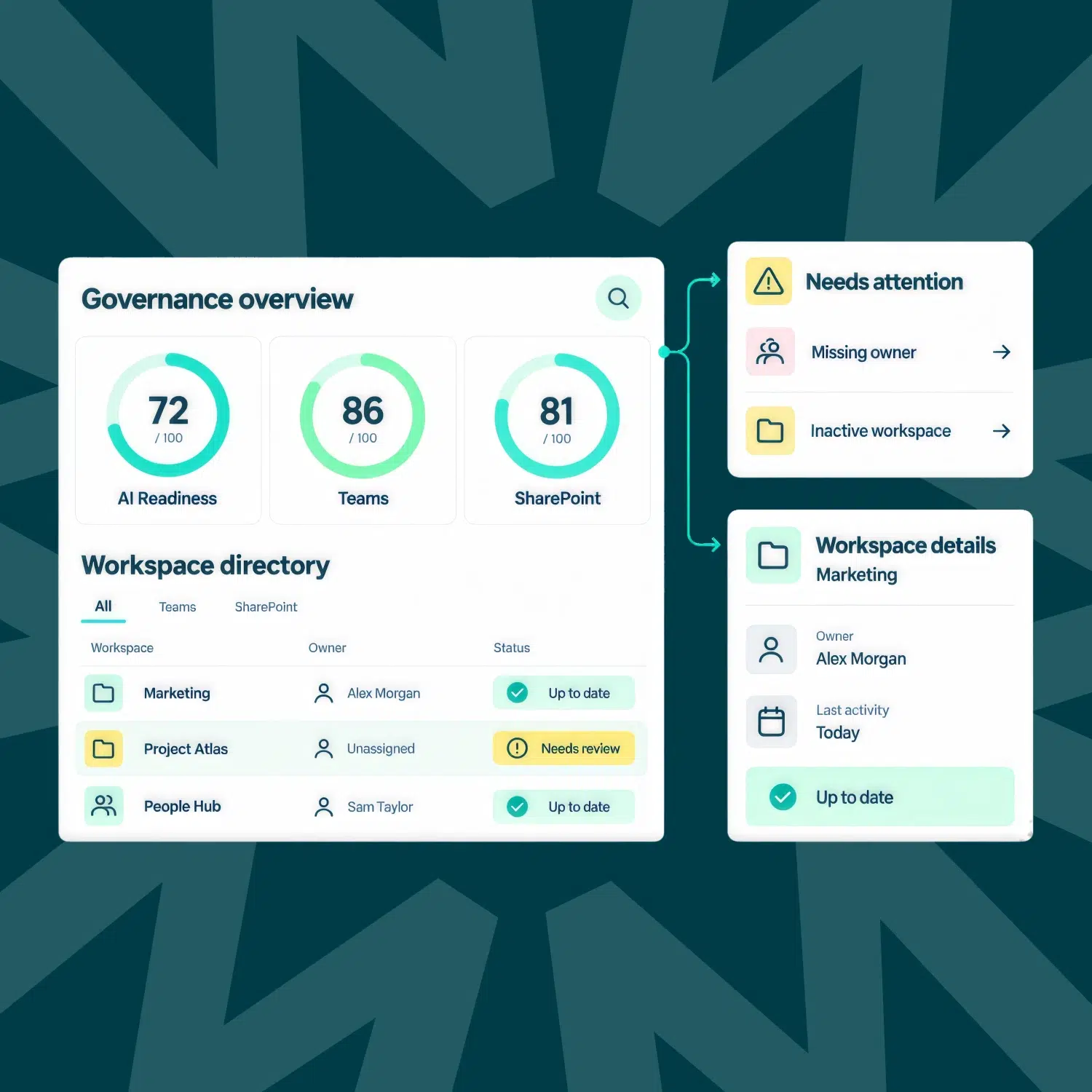
AI Readiness score
Assesses how ready your Microsoft 365 environment is for AI, scoring data exposure, stale content, and ownership gaps, the exact governance issues that get magnified the moment AI starts surfacing content.
Admin dashboard
Gives IT one view across every workspace and user in Microsoft 365, with dedicated document-level reporting alongside it. Real-time visibility into who’s using what, where guests have access, and where compliance risk is building.
Workspace directory
A single, always-current view of every Team and site across your Microsoft 365 environment, searchable and filterable rather than scattered across the native admin center.
Governance score
Three dedicated scores, not one blended number: AI Readiness, Teams, and SharePoint, each benchmarked against Powell’s own governance best practices.
End-user dashboard
Workspace owners see their own compliance standing, not IT’s full environment. Dashboards can be tailored by role or audience, so each owner sees only what’s relevant to them.
User directory
Every user across your Microsoft 365 environment, in one browsable view.
SharePoint site templating
Deploy compliant sites from approved templates.
Naming conventions and sensitivity labels
Applied automatically to every new workspace, no manual policing.
Company policies
Publish and manage compliance policies centrally.
Workspace creation assistant
Guides users to build compliant workspaces themselves.
Teams templating
Deploy compliant Teams from approved templates.
Tag management
Apply and maintain tags at scale.
Audience management
Target policies to the right groups.
Approval workflows
Route new workspaces through approval before go-live.
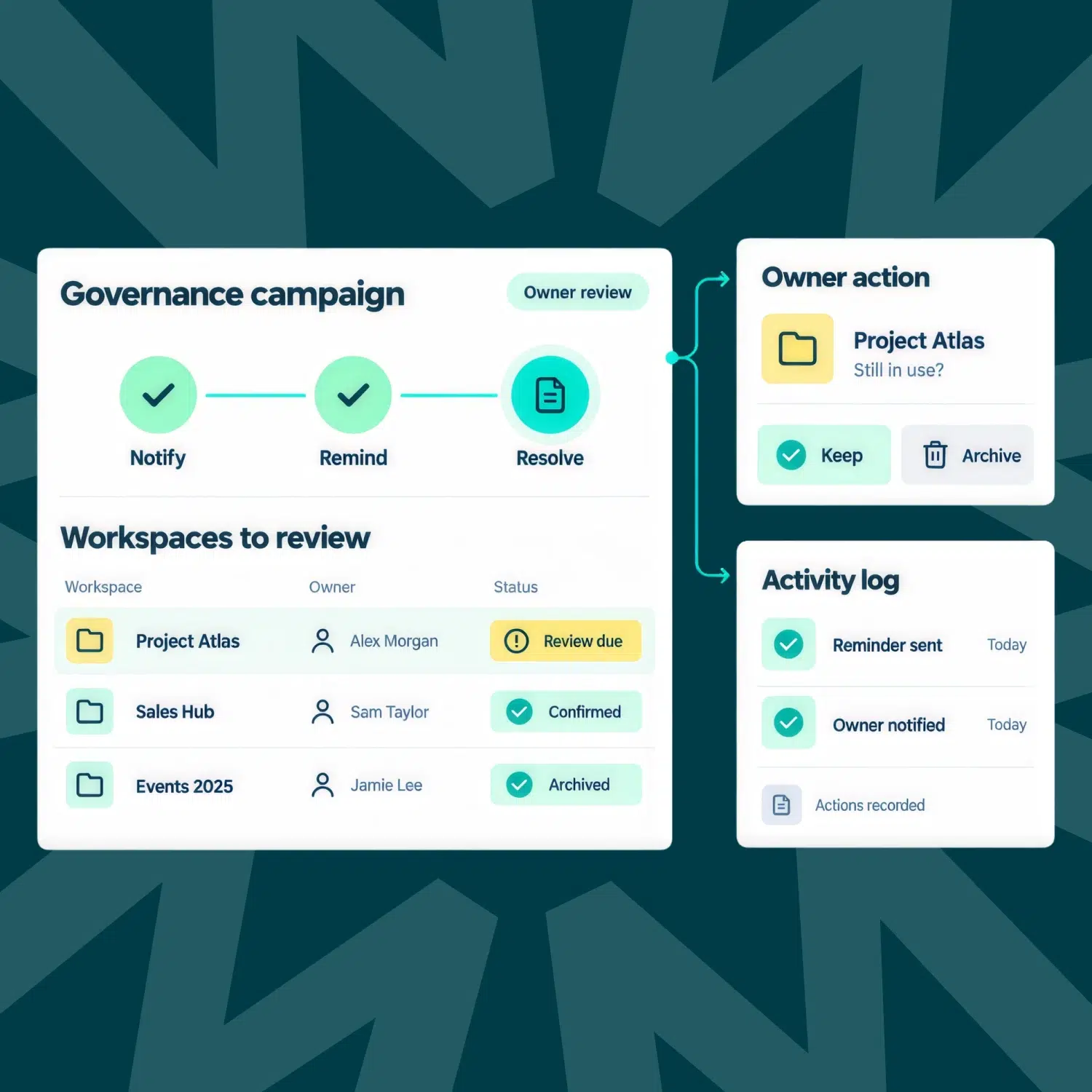
Campaigns
Automated notify, remind, and correct sequences, sent directly to the workspace owner.
Document-level governance
Extends corrective actions and campaigns from workspaces down to individual documents.
Reporting
35+ reports, pre-built, advanced, and custom.
Sub-admin roles
Scoped admin rights that let teams manage their own corner of Microsoft 365.
Automated corrective actions
Fixes trigger automatically when policy is violated.
Workspace-level governance
SharePoint, Teams, OneDrive, and users, governed together, not as separate tools.
Activity logs
Full audit trail of every governance action.
Trusted by global leaders in regulated industries
See how global comms teams are enhancing seamless collaboration and improving security by consolidating their tech stack with Powell governance on Teams.
“With Powell Governance, we not only reduced clutter but also empowered our teams to collaborate more effectively with tools designed for their specific needs.”
Maryanne Wiffen
Representative of Albury City Council

“Powell Governance enables the securing of workplace best practices and compliance.”
Axel Bouchet
Group Digital Workplace Manager
Théa Pharma
See how Powell turns governance into the reason AI can scale.
Governance capabilities
Governance score
Benchmark your environment against best practice
AI Readiness score
Scores Copilot readiness across exposure, staleness, and ownership
Workspace directory
Every Team and site, in one browsable view
User directory
Every user across your Microsoft 365 environment
Tag management
Apply and maintain tags at scale
Naming conventions
Enforced automatically on every new workspace
Company policies
Publish and manage compliance policies centrally
Audience management
Target policies to the right groups
SharePoint site templating
Deploy compliant sites from approved templates
Teams templating
Deploy compliant Teams from approved templates
Approval workflows
Route new workspaces through approval before go-live
Document-level governance
Corrective actions and campaigns, extended to documents
Automated corrective actions
Fixes trigger automatically when policy is violated
Activity logs
Full audit trail of every governance action
Workspace creation assistant
Guides users to build compliant workspaces themselves
Reporting
35+ reports, pre-built, advanced, and custom
Campaigns
Sending the fix directly to the person accountable
Delegation / Sub-admins
Scoped admin rights that let governance scale beyond IT
Powell’s governance capabilities, trusted at scale


550+
organizations run on Powell.
2M+
daily users, every working day

Frequently asked questions
We’re here for them.
The admin center gives you raw settings. Powell layers policy enforcement, a governance score, and owner accountability on top, no development required.
Yes, from one dashboard.
No. Secure delegation frees up IT time without handing over control
AI-based recommendations, document reporting, and shared channels support.